

The free trial signup page is one of the highest-use pages on your entire site - it sits at the exact moment a possible customer has raised their hand and said, “I’m interested.” What happens on that page - the friction, the messaging, the trust signals, the form fields - determines if that interest turns into an account or evaporates into a lost opportunity. Yet for a lot of teams, the signup page is built once during launch and never revisited while everything else gets iterated on constantly.
That difference between the traffic you’re earning and the conversions you’re actually capturing is usually closable - it doesn’t need a redesign or a massive development sprint - it just needs to understand what visitors need to feel confident enough to commit, and then systematically removing everything that gets in the way of that.
I’ll walk through the important elements that separate high-converting free trial signup pages from forgettable ones - from the structure of your form to the copy surrounding it, the trust signals that reduce hesitation, and the small details that quietly kill conversions without ever showing up on a heatmap.
Key Takeaways
- Track both visitor-to-trial and trial-to-paid conversion rates; optimizing only the first metric can mask poor overall performance.
- Your trial model (opt-in, opt-out, freemium) dramatically affects conversion benchmarks, making cross-model comparisons misleading without context.
- Minimize form fields to only what’s essential for account creation; extra fields reduce completions without meaningfully improving lead quality.
- Place social proof - especially specific, results-driven testimonials - directly near your CTA where visitor hesitation is highest.
- Test one page element at a time with statistically significant sample sizes; ending tests early produces misleading, unreliable results.
What “Converting” Actually Means for a Free Trial Page
There are actually two conversion events worth tracking on a free trial signup page. The first is visitor-to-trial, which means how many of who land on your page go on to start a free trial. The second is trial-to-paid, which means how many of the trial users become paying customers.
Most have the first number, but both matter. A page that pulls in thousands of trial signups is not doing its job if almost none of the users ever upgrade.
Research from Kyle Poyar and Pendo, based on data from over 1,000 products, puts the benchmark at 8-12% for a good visitor-to-trial rate and 15-25% for a strong one. Those numbers give you a helpful reality check before you start changing your page.
The benchmark you should chase depends heavily on your trial model. Data from FirstPageSage shows that opt-out trials, where users enter payment details upfront and are charged unless they cancel, convert at much higher rates than opt-in trials. Opt-in trials let users sign up with no payment details at all, which removes friction and brings in a wider range of intent levels.

That difference in intent is what makes the comparison between models almost meaningless. An opt-out trial with a 40% conversion rate and an opt-in trial with a 12% rate could be performing in the same way, given that the size and quality of each user pool differ. Tools like Viewers.com can help you understand who those visitors actually are, so you can better assess the quality behind your numbers.
Before you decide if your page is underperforming, you’ll have to know which type of trial you are running and which benchmark applies to your situation.
Choosing the Right Trial Model Before You Design Anything
Before you think about button colors or headline copy, you’ll have to settle on one foundational question: will you ask for a credit card at signup or not? It shapes every ingredient of your signup page, from the form fields you include to the copy you write around them.
The two main models are opt-out trials (credit card required) and opt-in trials (no card needed). According to data from FirstPageSage, opt-out trials convert at 48.8% from trial to paid, compared to just 18.2% for opt-in trials. That gap is substantial, and it tells you something important about intent.
When someone hands over their card details, they are already mentally prepared to pay. That commitment filters out casual browsers and leaves you with a smaller but more committed group of users. The tradeoff is that fewer people will start the trial.
Opt-in trials cast a much wider net. More people will sign up because there’s no financial friction at the door. But converting those users to paid plans takes more work - stronger onboarding, better email sequences, and a product that earns trust fast.

It is also worth knowing where freemium fits in. Freemium models draw signups at around 13.3%, but only about 2.6% of those users convert to paid. That is not necessarily a bad model, but it does mean a very long path to revenue and a lot of nurturing along the way.
| Model | Signup Rate | Trial-to-Paid Conversion |
|---|---|---|
| Opt-out (card required) | Lower | 48.8% |
| Opt-in (no card) | Higher | 18.2% |
| Freemium | 13.3% | 2.6% |
Your product complexity, price point, and sales process should all feed into this choice. A self-serve SaaS tool with a low monthly price can manage opt-in just fine. A higher-ticket product with a sales team involved might get better results from opt-out. If you need guidance on which approach suits your setup, reach out to our support team for help narrowing it down.
The Signup Page Layout That Guides Visitors Toward Yes
Once you know what trial you’re running, the next job is to arrange your page so visitors move from curiosity to action. The order of elements on your page matters more than you might expect. A headline, a subheadline, a form, a call-to-action button, and a few trust tells - these are the standard pieces, but placing them in the wrong sequence can stall a visitor before they can even read your value proposition.
A visitor who lands on your page should have a headline that answers “what is this and why do I want it?” The subheadline can then follow up with a little more detail to reinforce that answer. Only after those two jobs are done should the form come into view.
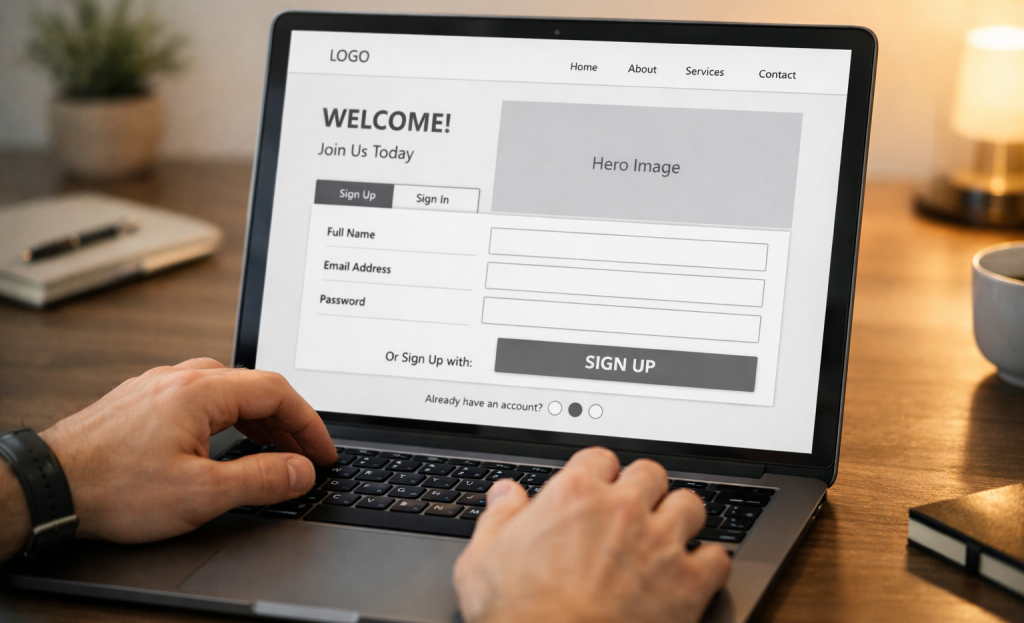
Amplitude found that defined acquisition funnels produce 23% higher conversions than loosely structured ones. That stat seems like something worth taking seriously: intentional structure outperforms random assembly. Every ingredient on the page should answer a question the visitor has at that second in their scroll.
Trust tells - things like security badges, customer counts, or short testimonials - work best when they sit close to the form or the CTA button. That placement is deliberate. A visitor who is almost ready to sign up just needs a small push of reassurance to push them across the line.
Your CTA button text also carries more weight than it looks like it should. “Start your free trial” is more direct and action-focused than something vague like “Get started.” The button should feel like the natural next step in a conversation - not an interruption. If you’re also exploring ways to capture attention before visitors reach your signup form, it’s worth looking at alternatives to notification bar widgets like Hellobar that can nudge visitors earlier in their journey.
How Many Form Fields Are Too Many (And What to Cut)
Every field you add to your signup form is a small choice you’re asking visitors to make. Those decisions add up, and at some point a visitor will decide the whole thing isn’t worth the effort. The form itself is one of the most friction-heavy parts of a trial page, so it deserves actual scrutiny.
The core question to ask yourself is what you actually need to create an account for this person - not what would be helpful for your sales team to know, but what is legitimately necessary to get them started. Data like company size, job title, or phone number can usually be grabbed later once someone is already inside the product.

If removing a field wouldn’t stop someone from using the product, it probably shouldn’t be on the signup form.
| Form Type | Typical Fields | Friction Level | Best For |
|---|---|---|---|
| Minimal | Email only | Low | High-volume opt-in trials |
| Standard | Name, email, password | Medium | Most SaaS products |
| Heavy | Name, email, company, role, phone | High | Enterprise or sales-assisted |
Most SaaS products land comfortably in the standard range, and that’s usually the right place to be. A minimal form works pretty well when volume matters more than lead quality, and a heavy form can make sense when your sales team needs to qualify before giving full access.
The mistake most teams make is defaulting to a heavy form because it feels safer to collect more information. In practice, fewer people finish signing up at all.
Writing Page Copy That Speaks to What Visitors Are Actually Worried About
Once your form is stripped back to fill in, the words around it need to do some heavy lifting. Most signup pages lead with a list of features, but visitors aren’t thinking about features yet. They’re asking themselves two quieter questions: will this actually work for me, and is signing up going to be more trouble than it’s worth?
Your headline and benefit statements are where you answer those questions. Instead of describing what the product does, describe what the person gets or stops. There’s a real difference between “automated reporting tools” and “reports that are ready before your Monday meeting.”
A good place to find the right words is in your existing customer conversations. Support tickets, sales call notes, and review sites hold the exact language customers use to describe their hesitations. If they’re asking “do I need a credit card?” or “can I cancel anytime?”, that’s a sign those concerns belong on the page - not buried in the FAQ.
Your CTA button text is worth more attention than you give it. “Start Free Trial” is fine, but something like “Try It Free for 7 Days” tells the visitor what they’re getting into. That small detail cuts back on friction before they can even click.

Trial length framing matters too. According to Statista, 32% of mobile apps use 3-day trials and 31% use 7-day trials. A 3-day trial gives you a tighter window, so your copy needs to set that expectation and make the value feel immediate. A 7-day trial gives a little more breathing room to communicate what they can accomplish during that time.
Write copy that meets visitors where they already are in their thinking.
Using Social Proof Without Making It Feel Like a Brag Wall
Social proof is one of the most misused elements on a free trial signup page. Done well, it cuts back on hesitation at the right moment. Done poorly, it can become a wall of logos that no one reads and testimonials that no one believes.
Generic praise is the main problem. A quote that says “This product changed everything for us!” tells a visitor nothing helpful. Specific results do the work - something like “We cut our onboarding time by 40% in the first month” gives a reader something concrete to hold onto.
Star ratings work well too, but volume matters. A 4.8-star rating from 12 reviews is easy to dismiss. That same rating from 2,300 is a different story.
Placement matters as much as content. Social proof near your CTA or signup form does more to move visitors than a row of logos tucked at the bottom of the page. Put it where hesitation is highest - right before someone has to decide.

It’s also worth noting that conversion rates for free trial pages can vary quite a bit across industries. According to FirstPageSage, CRM software pages convert at around 29%, AdTech at 24.3%, and HR software at 22.7%. The type of social proof that resonates with a CRM buyer might not land the same way with an HR team comparing tools. That context should shape which testimonials or data points you put front and center.
Recognizable logos carry weight with the right audience. If your customers include names that your target visitors will recognize, that’s worth showing near the form. If they won’t recognize those names, lean harder on results and ratings instead.
Testing Your Signup Page Without Wasting Months on Small Tweaks
Random changes don’t produce helpful data. If you swap your button color one week and rewrite your headline the next, you won’t know what actually moved the needle. The rule is simple: test one thing at a time and let the data tell you what to do next.
Not all tests are worth your time equally. Start with the elements that have the most direct contact with a visitor’s choice to sign up. Your headline, your CTA wording, your form length, and how you frame the trial itself - these are the places to focus first before getting into smaller details.

ProfitWell research found that optimized funnels can lift customer lifetime value by as much as 31%; it’s worth taking seriously as you think about where to put your testing energy.
A basic A/B testing rhythm doesn’t have to be tough. Run one variant against your original page, wait until you have a statistically significant sample, and then choose. A real sample is usually at least a few hundred conversions per variant - not a few dozen. Ending a test too early is one of the most common ways to walk away with misleading results.
| What to Test | Why It Matters | Good Starting Variant |
|---|---|---|
| Headline | First thing visitors read | Benefit-led vs. feature-led wording |
| CTA button text | Drives the final click | Action-specific vs. generic (“Start free” vs. “Sign up”) |
| Form length | Affects perceived effort | Fewer fields vs. your current version |
| Trial framing | Shapes how the value lands | “No credit card needed” vs. no mention at all |
Once you finish one test, move to the next item on your priority list. That steady rhythm builds actual knowledge about your visitors over time instead of a pile of inconclusive results.
Your Signup Page Is Never Really “Done” - And That’s a Good Thing
You now have the core levers to work with: the right trial model for your audience, a layout that guides attention instead of scattering it, a form that asks for only what you really need, copy that speaks to results instead of features, social proof placed where doubt is highest, and a testing rhythm that turns guessing into evidence - it’s a toolkit.

The helpful move is to stay away from overhauling everything at once. Look at your latest signup page and find the one ingredient that feels most obviously broken - maybe your form is too long, your headline is vague, or you have no social proof anywhere near the call to action. Start there. Fix that one thing, measure the impact, and then move to the next - it’s how momentum builds, and that’s how everyday signup pages turn into genuine growth engines.
FAQs
What are the two key conversion rates to track?
You should track visitor-to-trial rate (how many page visitors start a trial) and trial-to-paid rate (how many trial users become paying customers). Focusing only on the first metric can mask poor overall performance.
How many form fields should a signup page have?
Only include fields essential for account creation. Most SaaS products do well with name, email, and password. Extra fields increase friction and reduce completions without meaningfully improving lead quality.
Where should social proof be placed on the page?
Place social proof directly near your CTA or signup form, where visitor hesitation is highest. Specific, results-driven testimonials perform better than generic praise or logos placed at the bottom of the page.
What is the difference between opt-in and opt-out trials?
Opt-out trials require a credit card upfront and convert at around 48.8% trial-to-paid. Opt-in trials require no card, attract more signups, but convert at only 18.2% trial-to-paid.
How should you run A/B tests on your signup page?
Test one element at a time and wait for a statistically significant sample size - at least a few hundred conversions per variant. Ending tests early produces misleading results and unreliable conclusions.


