

Most website owners are laser-focused on macro-conversions: completed purchases, form submissions, account registrations. These are the metrics that show up in board decks and monthly reports, and they matter. But they’re also the last step in a much longer chain of smaller actions - newsletter clicks, video plays, product page visits, scroll depth, saved items - that either build toward a conversion or quietly fall apart somewhere along the way. These smaller actions are called micro-conversions, and for most websites they’re being ignored.
That’s an expensive blind spot. Think about it: website conversion rates usually fall between 2% and 5%, which means the vast majority of visitors leave without taking the action you want most. In that environment, improving the small steps that lead to a conversion isn’t a nice-to-have - it’s one of the few levers you actually have control over. Every percentage point of improvement in a micro-conversion metric compounds into something measurable at the macro level.
This guide is for anyone who suspects their site is leaving opportunity on the table but isn’t sure where to look. It covers how to find which micro-conversions matter for your goals, how to set up tracking without drowning in data, and how to use what you find to make real improvements - not just cosmetic ones.
Key Takeaways
- Micro-conversions like scroll depth, video plays, and newsletter sign-ups reveal visitor intent that macro metrics completely miss.
- GA4 lets you mark up to 30 events as key conversions, enabling structured tracking of smaller actions before purchase.
- Session replay tools like Hotjar and Clarity show the “why” behind drop-offs that GA4 event data alone cannot explain.
- Red-flag patterns - high scroll with no clicks, form starts without completions - signal specific friction points worth fixing immediately.
- Micro-conversion improvements compound into macro results: better form completions mean more leads, larger pipelines, and improved revenue.
What Micro-Conversions Actually Are (and Why They’re Easy to Ignore)
A macro-conversion is the big one - a buy, a booked call, a completed form. Micro-conversions are the smaller actions that happen before anyone gets there. Think newsletter sign-ups, video plays, scroll depth milestones, add-to-cart clicks, or time spent on a page.
These things don’t generate revenue on their own, but they tell you quite a bit about how visitors connect with your site. A visitor who scrolls 80% down a product page and watches a demo video is behaving very differently from a person who bounces in five seconds. Both might look the same in a basic traffic report.
That’s the problem. Micro-conversions don’t show up in the obvious places. Most site owners look at sessions, bounce rate, and goal completions - and if the macro numbers look weak, the whole visit gets written off as a loss.
Consider a visitor who views four pages, reads a blog post in full, and signs up for your newsletter before leaving. Most reporting would count that as a non-converting session, but that person is interested and now on your list. Tools like Viewers.com can help you identify who those visitors actually are, even before they complete a macro goal.

Micro-conversions are out there in a number of forms and they can vary by site type. An e-commerce site might track add-to-cart events closely. A content site might have scroll depth and return visits. A SaaS product might care most about free trial sign-ups and feature engagement.
| Conversion Type | Examples | What It Tells You |
|---|---|---|
| Macro-conversion | Purchase, booked demo, form submission | A completed goal |
| Micro-conversion | Video play, scroll depth, email sign-up | Progress toward a goal |
Tracking these smaller tells gives you a much fuller picture of what’s actually working on your site.
How GA4 Tracks Micro-Conversions Through Key Events
When Google retired Universal Analytics in 2023, it replaced the old goals system with something called conversion events. In GA4, any event can be marked as a conversion. That little change opens up flexibility for tracking smaller actions on your site.
GA4 lets you mark up to 30 events as conversions at any one time. Think of them like the actions you want to actively monitor and report on. Rather than passively collecting data, you are telling GA4 which events matter to your business.
To track a micro-conversion like a button click, you first need an event to exist in your data stream. GA4 automatically collects some events out of the box, like scroll and file_download. For anything more specific, you’ll use the GA4 interface or Google Tag Manager to create a custom event.
Inside GA4, go to Admin, then choose “Events” under your property. You can create a new event by defining a trigger condition - just to give you an example, a click on a button with a class or ID. Once that event fires and appears in your event list, you’ll see a toggle that lets you mark it as a key event (GA4’s term for a conversion). If you need help setting this up, you can always reach out to our support team.

Here’s a quick look at how different micro-conversion types map to GA4 event setup:
| Micro-Conversion | Recommended Event Name | Trigger Type |
|---|---|---|
| CTA button click | cta_click | Click - All Elements |
| Form field interaction | form_start | Form Interaction |
| Video play | video_start | YouTube / Element Visibility |
| Scroll depth (75%) | scroll | Scroll Depth |
GA4 is capable for this setup, but it does have blind spots - for example, it won’t capture engagement driven by notification bar widgets like Hellobar and similar tools - which is what the next section gets into.
Other Tools That Help You See What GA4 Can’t
GA4 tells you what happened, but it doesn’t tell you why. That gap is where tools like heatmaps, session replay, scroll maps, and click trackers become helpful.
GA4 might show you that users are dropping off a checkout page, but it won’t show you that a confusing error message is causing them to frantically click a button that isn’t responding. Session replay tools like Hotjar or Microsoft Clarity let you watch actual user sessions, so you can see friction points that raw numbers never surface on their own.
A known example comes from Harrods. Their team used session replay to find a checkout form error message that was triggering rage clicks - repeated, frustrated taps on an unresponsive element. Once they fixed it, rage clicks dropped by 50% and cart abandonment fell by 8%. That discovery doesn’t come from event data alone.
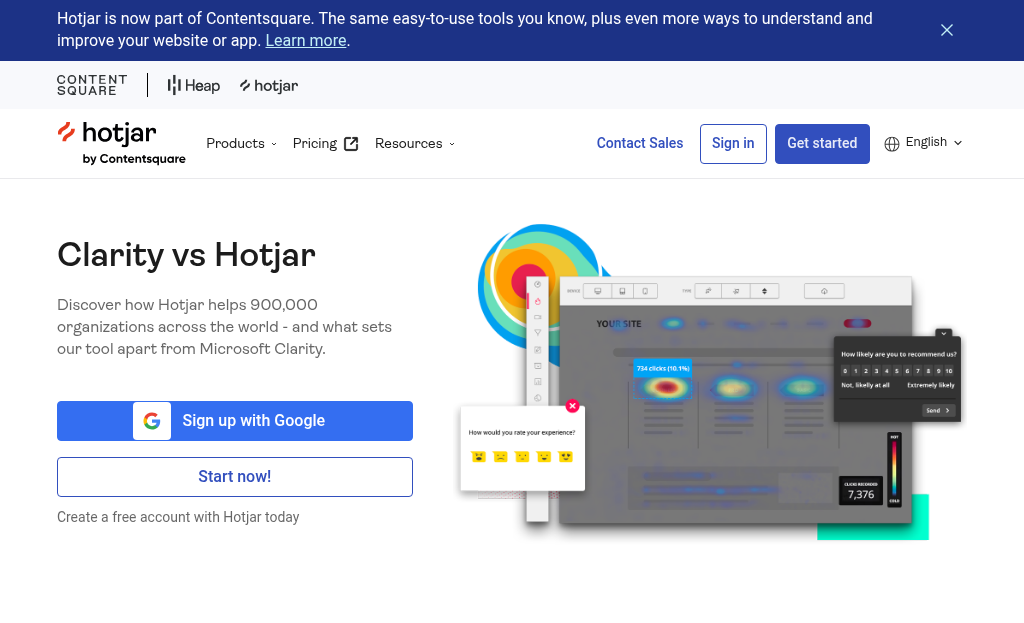
Scroll maps are helpful for a different reason. They show you how far down a page users actually get before they leave, and help you see if important content or calls to action are even being seen. If a micro-conversion trigger sits below where most users stop scrolling, you’ve found a fixable problem.
Click tracking tools let you see which page elements users use most - this matters if you’re trying to know whether users are engaging with the things you want them to, or are distracted by elements that lead nowhere helpful.
These tools don’t replace GA4 - they work alongside it. GA4 has the data patterns, and tools like Clarity or Hotjar give you the human behavior behind it. Together, they give you a much fuller picture of how your micro-conversions are actually performing.
The Micro-Conversion Metrics Worth Paying Attention To
Not every metric deserves equal attention, and which ones matter most depends heavily on what site you run. A SaaS product has different goals than a content blog, and tracking the wrong things will just send you in circles.
The table below breaks down the micro-conversions worth tracking by site type. These aren’t exhaustive lists, just a good starting point to build from.
| Site Type | Micro-Conversion Metrics to Track |
|---|---|
| Ecommerce | Add-to-cart rate, wishlist saves, checkout step completions |
| SaaS | Free trial signups, feature engagement, pricing page visits |
| Blog / Content | Email opt-ins, scroll depth, internal link clicks |
| Service Business | Contact form starts, phone number clicks, booking page visits |
A Databox survey of 25 marketing experts on the conversion metrics they actively track in GA4 found that engagement rate and scroll depth ranked fairly high - even above some traditional conversion events. That tells you something about how practitioners actually use this data.

For ecommerce sites, the add-to-cart rate is one of the most telling numbers you have - it shows intent without requiring a purchase, which makes it a helpful early signal to watch.
SaaS teams put more weight on feature engagement during a trial period. If users sign up but never touch the product, that difference between signup and activity is worth investigating before focusing on anything else. You can also find related discussion on our blog covering how teams approach these gaps.
For service businesses, phone number clicks and form starts are easy to underestimate. These are small actions, but they represent actual people who are close to reaching out.
Signs Your Micro-Conversion Data Is Telling You Something’s Broken
Some patterns in your data are worth pausing on. They don’t always mean something is catastrophically wrong, but they do mean something isn’t working the way you’d expect.
High scroll depth with no clicks is one of the clearest tells. People are reading and engaged, but nothing is pulling them to act. That usually points to a call-to-action that isn’t visible enough, isn’t strong, or doesn’t appear at the right point on the page.
Form starts with no completions is another one to take seriously. Someone opened the form - that’s intent. Something in the process pushed them away before they finished - maybe too many fields, a confusing layout, or an unexpected step like a mandatory account creation.
Strong landing page traffic with zero add-to-carts is a similar story. The page is getting visitors, but nothing about it is convincing them to move forward. That difference between arrival and action is worth investigating closely.

Red-flag patterns to watch for
Here are a few combinations that point to an actual friction point instead of just normal drop-off.
| What you see | What it likely means |
|---|---|
| High scroll, low clicks | CTA placement or copy isn’t landing |
| Form starts, no completions | The form has too much friction |
| Good traffic, no add-to-carts | Trust or relevance may be missing |
| Repeat visits, no sign-ups | The value exchange isn’t clicking |
It’s helpful to remember what an actual person would experience at each of these points. Are they confused? Hesitant? Just not finding what they came for? The data tells you where they stop, and that’s where to look first.
How to Run Simple Tests to Improve Micro-Conversion Rates
Once you identify which micro-conversion is underperforming, pick the one that sits closest to your goal and start there. Testing everything at once makes it hard to know what actually moved the needle.
Before you run any test, write an easy hypothesis. Something like: “If I move the CTA button above the fold, more visitors will click it.” This keeps your test focused and gives you something concrete to measure against.
A basic A/B test works pretty well for most micro-conversion improvements. You show version A to half your visitors and version B to the other half, then compare the results. Multivariate testing lets you test multiple changes at once, but it takes longer to get reliable data because you need more traffic to split across combinations.
On the subject of data - you do need enough of it to act. A general rule is to run your test until each version has at least a few hundred conversions and at least one full week of data. Cutting tests short based on early results is one of the fastest ways to make a bad call.

There are a few changes worth testing that people tend to underestimate.
Moving your CTA button to a more visible position on the page can lift clicks without any copy changes at all. Reducing the number of fields in a form - even by one - tends to increase completions noticeably. A trust signal like a privacy note or a recognizable logo near a key action can cut back on hesitation at the moment of deciding to proceed.
None of these take long to set up. Tools like Google Optimize, VWO, or built-in testing features in your email or landing page platform make it simple to get a test live within a day.
Connecting Micro-Conversion Improvements to Your Overall Growth Goals
Every small win you track has a destination. A better form completion rate means more leads. More leads means more opportunities to close sales. That chain reaction is why micro-conversions matter at the macro level.
It’s helpful to try to make this connection visible inside your team. An easy monthly check-in where you review micro-conversion patterns alongside your top-line numbers can keep progress from going unnoticed. You don’t need a formal dashboard for this - even a shared spreadsheet updated once a month is enough to build that habit.

The table below maps some common micro-conversion improvements to the macro results they feed into. Use it as a starting point to remember which micro-conversions are most worth your attention given your goals.
| Micro-Conversion Improvement | Intermediate Effect | Macro Outcome |
|---|---|---|
| Higher form start-to-submit rate | More completed leads | Increased sales pipeline |
| More email sign-ups | Larger engaged audience | Better retention and repeat purchases |
| More product page scroll depth | Higher purchase intent signals | Improved conversion rate on product pages |
| More video plays on a demo page | Better-informed visitors | Shorter sales cycles |
| Higher CTA click rate on blog posts | More traffic to key landing pages | More leads or sign-ups from content |
You want to track what connects to something you actually care about - not to track everything. Once you know which micro-conversions move the needle on your goals, working on them can become actual growth work instead of a side job.
Small Moves, Big Results - Your Micro-Conversion Game Plan
The most important change is treating micro-conversion tracking as a standard habit instead of a one-time audit. Set a recurring time each week or month to review your events, check scroll depth trends, and compare funnel drop-off rates. Small, steady adjustments - a clearer CTA here, a simplified form field there - compound into real gains over time without ever needing to overhaul everything at once.

The next step is to open GA4 and check if your important micro-conversion events are firing correctly. If they aren’t set up yet, pick just one - a button click, a video play, a scroll milestone - and configure it. Or, if you haven’t already, install a heatmap on your highest-traffic page this week and see where attention actually goes. You don’t need to do everything at once. You just need to start somewhere and keep going.
FAQs
What are micro-conversions and why do they matter?
Micro-conversions are small user actions - like video plays, scroll depth, or newsletter sign-ups - that occur before a purchase or main goal. They reveal visitor intent and help identify where users drop off, giving you actionable data to improve the steps leading to macro-conversions.
How do I track micro-conversions in GA4?
In GA4, go to Admin, select “Events,” and create custom events using triggers like button clicks or scroll depth. Once an event appears in your list, toggle it as a “key event” to actively monitor it. GA4 allows up to 30 marked key events at a time.
What tools complement GA4 for micro-conversion tracking?
Session replay tools like Hotjar and Microsoft Clarity show the “why” behind drop-offs that GA4 data alone can’t explain. Heatmaps and scroll maps reveal where users stop engaging, helping you identify friction points beyond what raw event numbers surface.
What red-flag patterns signal a broken micro-conversion?
Key warning signs include high scroll depth with no clicks (weak CTA), form starts without completions (too much friction), and strong traffic with zero add-to-carts (missing trust or relevance). These patterns pinpoint specific friction points worth fixing immediately.
How do micro-conversion improvements impact overall business growth?
Micro-conversion gains compound into macro results. For example, improving form completion rates generates more leads, which grows your sales pipeline. More email sign-ups build a larger audience, leading to better retention and repeat purchases over time.


