

Let's talk about what those pricing pages don't tell you: not every landing page tool is built with conversion rate optimization baked in. Some are glorified drag-and-drop editors dressed up with marketing language. Others are legitimately engineered so you can test, learn, and improve - with features like A/B testing, heatmaps, text replacement, and AI-assisted optimization built into the core product - not bolted on as an afterthought.
The stakes are real. The widespread landing page optimization market hit $2.5 billion in 2023 and it's growing fast, which tells you two things: businesses are taking conversion seriously, and there's money being spent on tools that may or may not be doing the job. Choosing the right platform from the start isn't a small choice.
This overview is for the marketer who's done guessing. Below, you'll find the landing page builders that actually have built-in CRO features worth considering - along with what sets each one apart, so you can match the right tool to how your team actually works.
Key Takeaways
- Not all landing page builders have true built-in CRO; many are just drag-and-drop editors with misleading marketing language.
- Real CRO features include heatmaps, session recordings, dynamic text replacement, and smart traffic routing - not just A/B testing toggles.
- Page speed directly impacts conversions; a one-second load time converts three times better than a five-second load.
- Only 17% of marketers use A/B testing despite its potential 37% conversion lift, often due to lack of built-in guidance.
- Free and lower-tier builders typically hide CRO features behind paywalls, often costing more long-term when patched with extra tools.
What "Built-In CRO" Actually Means (And Why It's Not Just A/B Testing)
A lot of landing page builders advertise CRO features, but what they actually include changes more than you'd expect. Some tools give you a basic A/B testing toggle and call it optimization. Others go much deeper - and that difference matters quite a bit if you're trying to improve conversions without stitching together five separate tools.
True built-in CRO means the optimization layer lives inside the builder itself. You're not exporting data to a third-party heatmap tool or manually connecting a session recording app via a script tag. The plans and the editor are in the same place, so you can see what's going on and act on it without switching tabs.
Surface-level features are easy to find once you know what to look for. A color picker, a font selector, a mobile preview mode - these are page-building features, not optimization features. They help you build, but they don't help you learn.

Real CRO tooling looks different. Heatmaps show you where visitors click and how far they scroll. Session recordings let you watch user behavior on a page. Dynamic text replacement lets you match the page headline to the exact keyword searched before they arrived. Smart traffic routing sends visitors to the best-performing variant automatically instead of splitting them 50/50 forever.
These features change the builder from a design tool into something that actively helps you improve performance over time. A platform worth using should help you understand what your visitors are doing, not just help you put a page together.
If it does mostly the latter, then you'll be paying for a separate analytics or testing tool anyway - which defeats the point of an all-in-one builder.
The CRO Features That Actually Move the Needle
A/B testing gets talked about quite a bit, but the numbers tell an interesting story. Only 17% of marketers actually use it- even though it can lift conversions by around 37%. That gap exists because many don't have the time or confidence to run tests without guidance baked into the tool itself.
The features below are worth prioritizing when you review a landing page builder. If you want a full breakdown of what's available, the features overview is a good place to start.
A/B testing is the starting point- it lets you run two versions of a page to see which one converts better. Multivariate testing goes further by testing multiple elements at once, but it requires a decent amount of traffic to produce reliable results. If you're just starting out, A/B testing on a single element like your headline or call-to-action button is the better move.
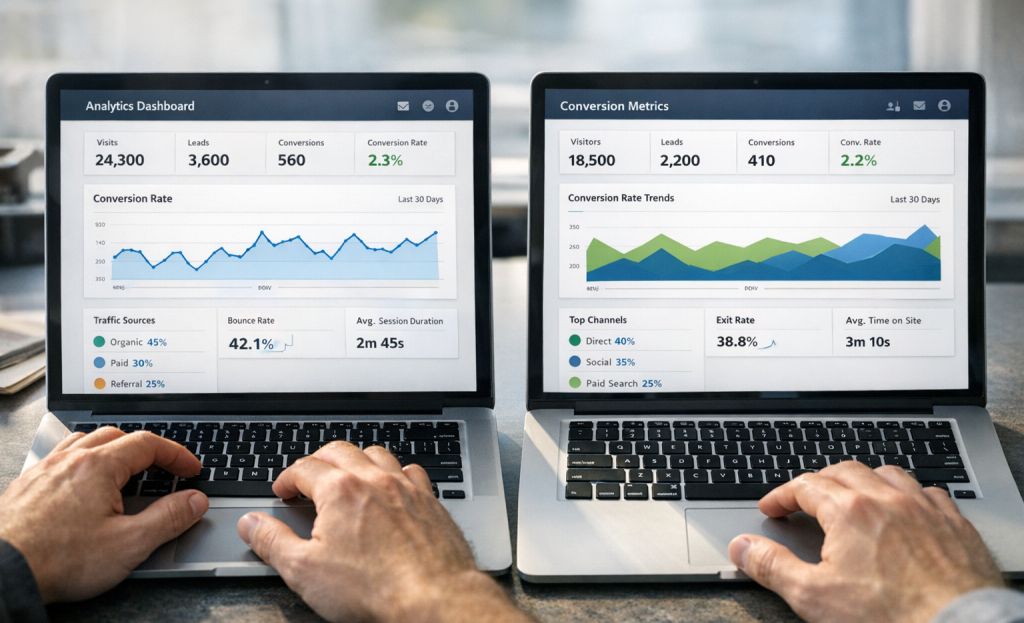
Conversion-focused analytics dashboards are different from standard traffic reports. You want to see where visitors drop off, which elements get clicked, and how different traffic sources behave on your page. That information tells you what to test next.
Sticky bars and countdown timers get oversold. They can work, but they're not a fix for a weak page. Think of them as ways to reinforce urgency that already exists in your offer. If you're evaluating notification bar tools specifically, it's worth looking at alternatives to the Hellobar widget before committing to one.
Lead capture forms with conditional logic are helpful and tend to get less attention than they deserve. Instead of showing everyone the same form, conditional logic lets the form adapt based on what a user selects- it makes the experience feel more personal and cuts back on friction at the exact moment someone is choosing to convert.
| Feature | Best For | Commonly Oversold? |
|---|---|---|
| A/B Testing | All experience levels | No |
| Multivariate Testing | High-traffic pages | Sometimes |
| Countdown Timers | Promotions with real deadlines | Yes |
| Conditional Logic Forms | Segmented audiences | No |
| Analytics Dashboards | Anyone running paid traffic | No |
How Page Speed Fits Into the CRO Picture
Speed is not a technical detail you can leave for later. According to Portent's 2024 research, a page that loads in one second converts three times better than one that takes five seconds. That gap is large enough to treat load time as a conversion feature in its own right.
The connection makes sense when you see user behavior. A slow page gives visitors a reason to leave before they ever read your headline or see your call to action. No amount of copy or button placement can recover a visitor who already clicked away.
Good builders work around this in a few helpful ways. Lazy loading causes images and videos to wait until a visitor scrolls to them, which makes the first page feel fast. CDN hosting distributes your page across multiple servers so it loads from a location close to each visitor. Lightweight templates keep the underlying code lean so browsers have less to process from the start.

Some builders also support AMP pages for mobile, which strips content down to a minimal format that loads almost immediately. Not every builder includes this, but it can make a real difference for mobile traffic that comes from paid ads.
On the other side, some builders load up your page with scripts, animations, and third-party trackers that the visitor never asked for. These extras add weight, and that weight slows down every load. A drag-and-drop builder that makes design easy can still quietly create a bloated page.
That is why speed belongs in any honest conversation about CRO tools. If a builder makes it easy to run A/B tests but ships slow pages by default, it's working against itself at a basic level. If you have questions about how any of this applies to your setup, reach out to Viewers.com support for guidance.
A Side-by-Side Look at Top Landing Page Builders With CRO Tools
Picking a builder gets quite a bit easier when you can see the features laid out next to each other. The table below covers some of the most well-known options and where they stand on the CRO features that matter most.
| Builder | A/B Testing | Built-In Analytics | AI Features | Starting Price |
|---|---|---|---|---|
| Unbounce | Yes | Yes | Yes (Smart Traffic) | $99/month |
| Leadpages | Yes | Yes | Limited | $49/month |
| Instapage | Yes | Yes | Yes | $99/month |
| Swipe Pages | Yes | Basic | No | $29/month |
| Carrd | No | No | No | $19/year |
A few things stand out here. Unbounce and Instapage go furthest with AI-assisted features, but Leadpages hits a nice balance between capability and price.
Carrd is worth noting because it shows where the floor is- it's a lightweight builder that works pretty well for simple pages, but it was not built with conversion testing in mind.
Swipe Pages sits in an interesting middle ground- it has A/B testing, which puts it ahead of a lot of similarly priced tools, but the analytics are basic enough that you might want to connect it to an external tool like Google Analytics to get a fuller picture.
The right choice can depend on what stage your business is at and how much testing you plan for. A builder with strong A/B testing is less helpful if you don't have enough traffic to get reliable results from your tests yet.
Getting the Most Out of Your Builder's CRO Tools Without Losing Your Mind
One of the most underused strategies in landing page optimization is building more pages. HubSpot's research found that going from 10 to 15 landing pages can generate 55% more leads. Companies with 40 or more pages see conversions jump by around 500%. So before you spend hours changing a single headline, it's worth asking if you have enough pages.
Once you have a good library of pages, the next step is to get into a steady testing schedule - not just one test left to run indefinitely, but a repeating cycle where you test, review results, and then test something new. The analogy is maintaining a car: you don't do it once and walk away.
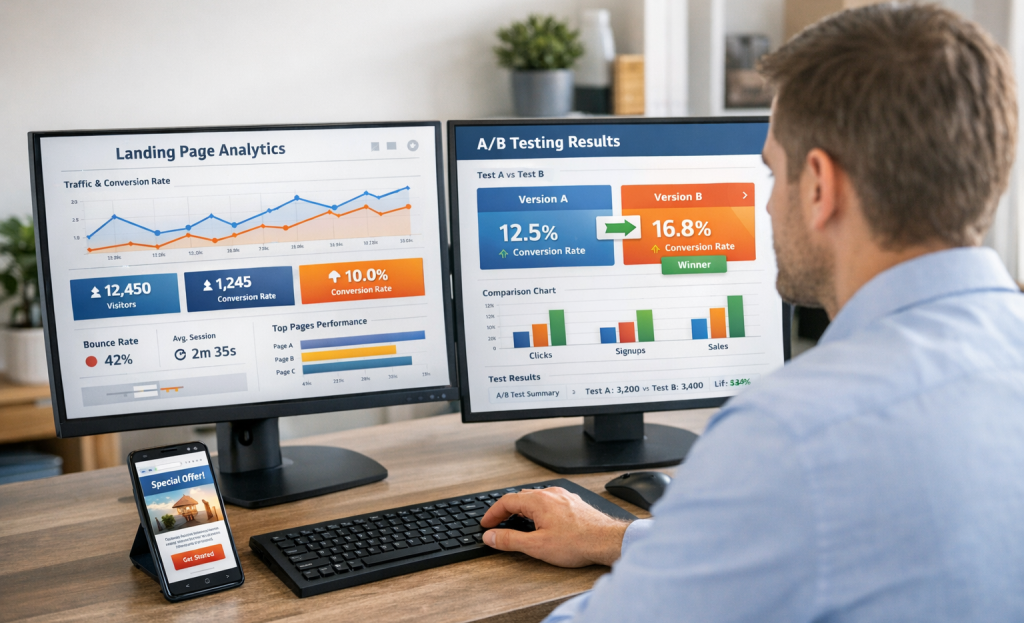
A common mistake is testing too many elements at once. If you change the headline, the button color, and the form length all in the same test, you won't know which change made the difference. Pick one variable per test and give it enough time to collect actual data before you draw any conclusions.
Mobile performance is another thing people put off. A page that looks great on desktop can fall apart on a phone, and most of your traffic is probably arriving on mobile. Use your builder's mobile preview to check layouts before you publish - not after.
It also helps to document what you've already tested. A simple spreadsheet that tracks your hypothesis, the result, and what you'll do next keeps things organized and stops you from repeating the same tests. Most builders won't do this for you, so it's worth creating a small system of your own.
Is the Price Tag Worth It for CRO-Focused Builders?
CRO delivers an average ROI of 223%, which puts a $99/month builder in a different light. If your pages convert even a fraction better, that monthly fee can become one of the easier line items to justify.
That said, the math looks different depending on who you are. A solo creator with modest traffic doesn't need the same depth of A/B testing that a growing ecommerce brand does. Paying for advanced segmentation tools you won't touch for six months isn't a smart move just because they're there.
For agencies, the calculation tips the other way. More clients means more pages, more tests, and more need for features like heatmaps, text replacement, and built-in analytics. A higher-tier plan starts to look reasonable when you spread the cost across multiple accounts.

Free and freemium builders can get you a good-looking page, but they cut CRO features first. You might lose access to native A/B testing, get capped on traffic data, or find yourself exporting to third-party tools just to get basic performance insights. That friction adds up.
| Business Type | What Matters Most | Realistic Budget Range |
|---|---|---|
| Solo creator | Simple testing, clean analytics | $29-$59/month |
| Ecommerce brand | Traffic segmentation, heatmaps | $79-$149/month |
| Agency | Multi-client tools, white labeling | $149-$299/month |
Free builders are fine to learn on or to test an idea. But for actual optimization work, you'll hit the ceiling fast and end up patching gaps with extra tools that cost more in total than a mid-tier plan would have.
Red Flags to Watch for When a Builder Claims to Be "CRO-Optimized"
With over 282 landing page builders on the market, "CRO-optimized" has become a phrase that gets thrown around without much to back it up. Some tools use it as a selling point while hiding the features behind paywalls or leaving them out entirely.
The first thing to check is where A/B testing sits in the pricing structure. If it's locked behind an enterprise or high-tier plan, that's worth questioning. Testing is foundational to conversion work - not a premium add-on.
Watch out for analytics dashboards that look great but only show surface-level data. Pageviews and session counts are not conversion data. What you'll need to see is which elements on the page are driving form fills, clicks, and sign-ups - and where users are dropping off.

A clunky editor is another sign worth taking seriously. If it takes a long time to move elements around or preview changes, that friction slows down your ability to iterate. Good CRO depends on speed and consistent testing, so the editor needs to keep up with that pace.
It's also worth asking if the platform integrates with tools you already use for tracking and analytics. A builder that can't connect to your stack will create gaps in your data that are hard to work around.
Before you commit to a platform, ask pointed questions: Can you run tests on the free or base plan? Does the reporting show conversion rates by variant? And how easy is it to set up a goal and track it end to end? The answers will tell you more than the marketing page ever will.
Skepticism is a helpful tool here. A platform that legitimately supports conversion work will have no issue answering those questions.
Pick Smarter, Test Often, Convert More
If you're just starting, don't try to use every feature at once. Pick one or two - maybe an easy A/B test on your headline, or a heatmap to see where visitors are dropping off - and build from there. Small, steady experiments compound over time into actual, measurable growth. The habit of testing matters more than any single result.

Ultimately, the best landing page builder is the one you'll actually open, use, and learn from . Conversion optimization isn't a one-time project you finish and forget - it's a standard process of attention and incremental improvement. Start with what feels manageable, stay curious, and trust that the results will follow.
FAQs
What makes a landing page builder truly CRO-focused?
A true CRO-focused builder includes heatmaps, session recordings, A/B testing, dynamic text replacement, and smart traffic routing built into the platform - not added via third-party tools.
How much does page speed affect conversion rates?
A page loading in one second converts three times better than one taking five seconds, making page speed a critical conversion factor, not just a technical concern.
Are free landing page builders good enough for CRO?
Free builders typically hide essential CRO features behind paywalls, forcing you to patch gaps with extra tools that often cost more than a mid-tier paid plan.
How often should marketers run A/B tests?
Marketers should maintain a consistent testing cycle - testing one variable at a time, reviewing results, then moving to the next test rather than running tests indefinitely.
Which landing page builder offers the best value for CRO?
Leadpages offers a strong balance of CRO features and affordability at $49/month, while Unbounce and Instapage provide deeper AI-assisted optimization at $99/month.


