

Two tools that consistently come up in this space are Crazy Egg and Microsoft Clarity. Both give you a window into visitor behavior through features like heatmaps, session recordings, and click tracking. But they're built with different users in mind, priced differently, and approach the whole experience in ways that make each one a better fit for certain situations over others.
If you're trying to choose between them, you've probably already seen that a straight feature-for-feature comparison only gets you so far. The better question is which one actually makes sense for your team, your budget, and what you're trying to accomplish - and that's exactly what this post is here to help you figure out.
I'll talk about how each tool works, where they're at their best, where they fall short, and which types of users tend to get the most out of each one. By the end, you should have a clear enough picture to make the call with confidence.
Key Takeaways
- Crazy Egg suits teams wanting to act on data with built-in A/B testing; Clarity suits observation-focused analysts.
- Microsoft Clarity is completely free with no session caps; Crazy Egg requires paid plans but offers up to two years data retention.
- Crazy Egg offers five heatmap types including confetti and overlay maps; Clarity only provides click and scroll heatmaps.
- Clarity automatically flags rage clicks and dead clicks with friction scores, reducing manual effort for smaller teams.
- Both tools can work together - Clarity providing qualitative depth, Crazy Egg handling experimentation and segmentation.
What Each Tool Actually Does and Who It's Built For
Both Crazy Egg and Microsoft Clarity are built so you can see what visitors do on your website. They track behavior through session recordings and heatmaps so you can see where visitors click, how far they scroll, and where they lose interest. The goal for both tools is the same: so you can make changes that turn more visitors into customers.
That said, they come from very different places. That shapes everything about how they work.
Crazy Egg is a paid tool built for teams who want to act on what they find. It sits closer to the conversion rate optimization side of things, with built-in features to run A/B tests and make on-page edits without touching code. It tends to appeal to marketers, small business owners, and growth-focused teams who want a direct line between data and decisions.
Microsoft Clarity is free and built by Microsoft. It connects with Google Analytics and it's designed to give developers and analysts a deeper look at raw behavioral data. There are no A/B testing or editing tools here - Clarity is purely for observation. Teams that already have a testing workflow and just need behavioral data tend to gravitate toward it.

Crazy Egg tends to draw solo site owners and small marketing teams who want one tool to manage information and action. Clarity tends to land with dev teams, data analysts, and bigger organizations that want behavioral data to feed into a wider stack.
The right choice can depend on what you need to do with your data. If your job is to watch recordings and spot patterns, either tool can get you there. If you want to use those insights to run experiments and make live changes, that points you more toward Crazy Egg.
Neither tool is better in an absolute sense - they are built for different stages of the same process. Clarity helps you see what is happening. Crazy Egg helps you see what is happening and then do something about it in the same place.
As you read through the comparisons ahead, it's worth asking yourself where you are in that process. The right fit depends quite a bit on your team size, your budget, and how much of your workflow you want to manage inside one tool.
Heatmaps and Visual Tracking: Where Crazy Egg Has the Edge
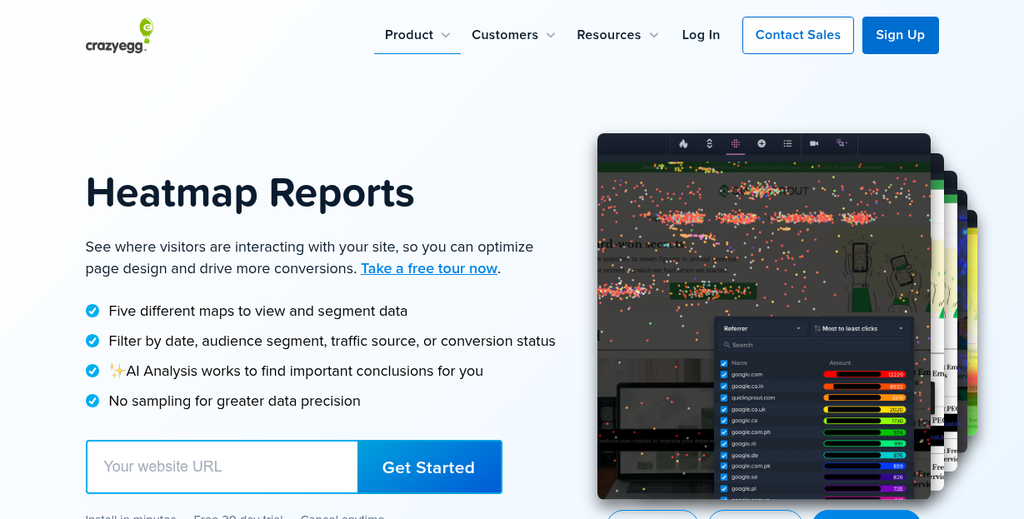
Crazy Egg gives you five different heatmap types to work with: click maps, scroll maps, confetti maps, overlay maps, and list maps. That might sound like quite a bit. But each one answers a different question about how visitors use your page.
A click map will show you where visitors are clicking. A confetti map breaks those clicks down further so you can see which traffic sources, devices, or referral paths are behind each one. Overlay maps attach click percentages directly to page elements, and list maps give you that same data in a ranked table format. Scroll maps show how far down a page visitors actually go before they leave.
The reason this matters is that one heatmap type does not tell the full story. Say your scroll map shows that most visitors stop halfway down a long landing page. That alone does not tell you what stopped them or what they clicked before leaving. A confetti map on the same page can show that mobile visitors are clicking something desktop users ignore - which seems like a layout or design problem worth fixing.
Microsoft Clarity has click and scroll heatmaps too, and they work well. For many teams, that's enough. Clarity also layers in a dead clicks filter and a rage clicks filter directly within its heatmap view, which is helpful in its own right.
But Clarity does not have confetti, overlay, or list maps. If your team wants to break click data down by segment or pull a ranked element report without leaving the heatmap tool, Crazy Egg handles that in a way Clarity does not.
This extra depth is not always necessary. A small site with one goal and steady traffic probably does not need five heatmap types to make decisions. The added depth can become more helpful when managing multiple traffic sources, running A/B tests, or trying to understand why a page performs differently across devices.
| Heatmap Type | Crazy Egg | Microsoft Clarity |
|---|---|---|
| Click Map | Yes | Yes |
| Scroll Map | Yes | Yes |
| Confetti Map | Yes | No |
| Overlay Map | Yes | No |
| List Map | Yes | No |
Pricing and Data Storage: Free vs. Paid and What You Actually Get
Once you know what each tool can do visually, the next question is what it costs to use them. And here, the two tools are about as different as it gets.
Microsoft Clarity is free. There are no paid tiers, no usage caps on sessions, and the platform is able to manage over one petabyte of data. For most websites, that means you'll never hit a ceiling on what gets tracked or stored.
Crazy Egg runs on paid plans, and your access to features and data can depend on the plan you are on. Data retention goes as high as two years on higher-tier plans, which is helpful if you want to track long-term changes to user behavior. But that history comes at a cost, and smaller teams need to consider whether that trade-off makes sense for them.
Here is a quick look at how the two tools compare on the basics.
| Feature | Crazy Egg | Microsoft Clarity |
|---|---|---|
| Pricing | Paid plans | 100% Free |
| Data Retention | Up to 2 years | Limited/rolling window |
| Data Scale | Plan-dependent | 1+ petabyte supported |
The rolling window on Clarity is worth mentioning. You get data at once. But older sessions eventually fall out of view. That works fine for teams who check their analytics on a regular basis. But it's less ideal if you want to compare behavior across longer stretches.

Clarity's data scale alone puts it ahead of paid tools in raw volume. What it trades away is long-term historical access and some of the more refined controls you get with a paid product.
Crazy Egg's pricing structure is a commitment. But it's also a signal that the tool is built for teams who want more precise control over their data. Longer retention windows let you run more actual before-and-after comparisons, and that's especially useful after a redesign or a period of A/B testing.
Budget is not the only factor here. How long you'll have access to your data, and how actively you're looking to use it, matters just as much as the price tag.
Session Recordings and User Behavior Insights Compared
Session recordings are where tools start to feel less like dashboards and more like a window into what your users actually do. Watching a person have a hard time finding a button or click on something that isn't clickable can tell you more than weeks of analytics data.
Both Crazy Egg and Microsoft Clarity record user sessions. But they go about it differently. Crazy Egg lets you filter recordings by traffic source, device type, and user behavior, so you can pull up the sessions you want to review. That filtering is helpful if you already have a hypothesis and want to test it fast.
Microsoft Clarity has its own filtering system. But its standout feature is automatic behavior detection - it flags sessions that include rage clicks and dead clicks without you having to hunt for them. A rage click happens when a user rapidly taps the same spot in frustration. A dead click is when someone clicks something that has no interactive function at all. Both are easy to miss in raw data but revealing when you find them.
Clarity also gives you a friction score to help rank sessions by how problematic they were - it means you don't have to watch hundreds of recordings to find the interesting ones. For smaller teams without much time to dig through data, that prioritization is a benefit.
Crazy Egg's session recordings have more manual control. You can tag sessions, leave notes, and tie recordings directly into your A/B testing workflow - it makes it a better fit for teams that are actively running experiments and want everything in one location.
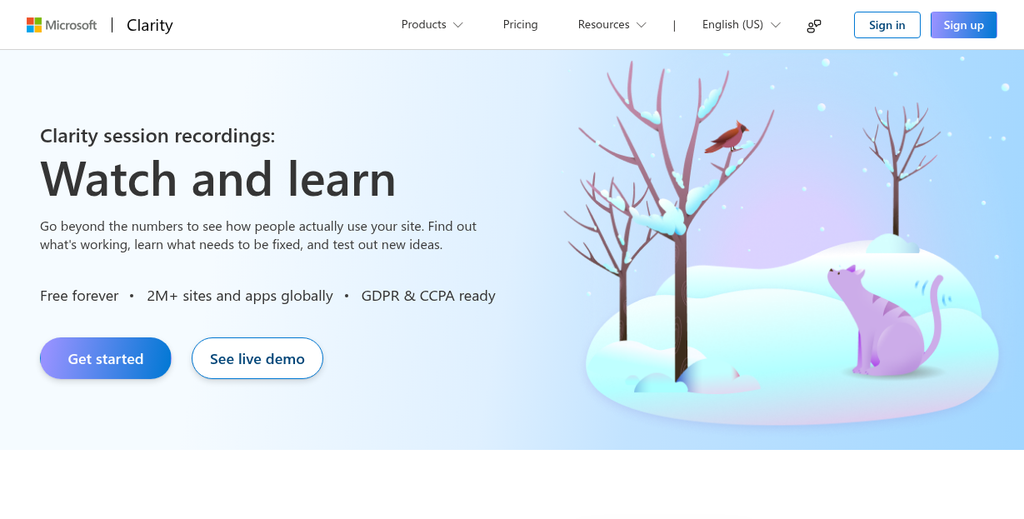
More recordings don't automatically mean better insights. Clarity records every session by default and stores up to 30 days of data for free. That sounds great. But a backlog of thousands of recordings is only helpful if someone on your team has the time to go through them.
Crazy Egg's paid plans let you set a recording limit that matches your review capacity; it's a small thing that changes practice.
At this stage of your evaluation, it's worth thinking about how your team actually works. A tool that surfaces problems for you serves a different need than one that lets you investigate on your own terms, and the right fit can depend on which strategy matches how your team operates.
Integrations, Setup Complexity, and Team Fit
Both tools are pretty easy to install. You add a tracking script to your site and data starts flowing. Crazy Egg works with places like WordPress, Shopify and Wix, and it has a dedicated WordPress plugin that makes setup even faster. Microsoft Clarity also supports these platforms and has its own WordPress plugin, so neither tool puts you at a disadvantage on that front.
Where things get more interesting is how each tool connects to your wider analytics stack. Clarity has a native integration with Google Analytics 4, which lets you filter GA4 segments directly inside Clarity; it's helpful if your team already lives inside Google's ecosystem. Crazy Egg integrates with Google Analytics too. But it also connects with tools like HubSpot, Shopify, and A/B testing workflows in a more structured way.
Setup time for both tools is short - you're up and running within an hour without any developer help. That said, if you want to unlock deeper tracking like custom events or filtered session recordings, then you'll need to be comfortable editing code or tag manager configurations.

Team size and structure matter more here than many account for. A small marketing team of two or three will get more out of a tool that surfaces insights automatically and doesn't demand manual configuration. Clarity fits that profile well because it's free and requires minimal maintenance. Crazy Egg is also accessible for small teams. But its A/B testing and goal-tracking features reward teams that have time to act on what they find.
Larger organizations or teams with dedicated analysts tend to get more value from Crazy Egg because they can build structured experiments and tie heatmap data to conversion goals in a repeatable way - it fits more into a workflow where someone owns the CRO process end to end.
It's worth noting that a free tool with fewer integration touchpoints might slow your team down. If your stack already includes a paid analytics platform, a CRM, and an email tool, adding a tool that doesn't connect to any of them means more manual work to pull insights together. A paid tool that slots into your existing setup can save more time than its monthly cost.
| Factor | Crazy Egg | Microsoft Clarity |
|---|---|---|
| Setup time | Under an hour | Under an hour |
| Developer needed | No, for basic setup | No, for basic setup |
| Google Analytics integration | Yes | Yes, native GA4 integration |
| Shopify support | Yes | Yes |
| Best team fit | Small to mid-size teams with CRO focus | Small teams or solo operators |
Picking the Right Tool Without Overthinking It

- Choose Clarity if you want free, unlimited heatmaps and session recordings with minimal setup - especially if you're early in your CRO journey.
- Choose Crazy Egg if you're ready to run experiments, need traffic segmentation, or want a tighter feedback loop between testing and results.
- Use both if you want Clarity's depth of qualitative data feeding into Crazy Egg's experimentation engine - they're not mutually exclusive.
The best tool is the one you'll actually use. Too many teams spend weeks comparing features and never get around to watching a single session recording or launching a single test. Pick one, get it on your site this week, and let user data steer your next move. Optimization compounds over time - but only if you start.
FAQs
Is Microsoft Clarity really completely free?
Yes, Microsoft Clarity is 100% free with no paid tiers and no session recording caps. It can handle over one petabyte of data, meaning most websites will never hit a tracking or storage limit.
What heatmap types does Crazy Egg offer over Clarity?
Crazy Egg offers five heatmap types: click, scroll, confetti, overlay, and list maps. Microsoft Clarity only provides click and scroll heatmaps, making Crazy Egg the stronger choice for segmented or detailed visual analysis.
Which tool is better for running A/B tests?
Crazy Egg is the better choice, as it includes built-in A/B testing and on-page editing tools. Microsoft Clarity is purely observational and has no experimentation features.
How does Clarity automatically detect user frustration?
Clarity automatically flags rage clicks and dead clicks, and assigns friction scores to sessions. This helps teams quickly identify problematic recordings without manually reviewing large amounts of session data.
Can you use both Crazy Egg and Microsoft Clarity together?
Yes. Many teams use Clarity for deep qualitative behavioral data and Crazy Egg for experimentation and segmentation. The two tools complement each other and are not mutually exclusive.


