

Popups have earned their bad reputation, and it's deserved. But here is the part that gets lost in the backlash: they still work. When designed and deployed carefully, popups convert. The average conversion rate across popup campaigns sits at around 3.49% - a number that sounds modest until you see the volume of visitors most sites draw. That is actual revenue, actual leads, and actual growth. Writing off popups entirely means leaving a reliable channel on the table.
The actual problem has never been popups themselves - it's the way they are used - too early, too aggressively, with no regard for where a visitor is in their process or what they actually came to the site for. The result is popup fatigue: that dull, creeping irritation that makes visitors tune out, click away, or reach for an ad blocker. It's a self-inflicted wound, and it's almost entirely avoidable.
This is about how to find the balance. You don't have to choose between protecting the visitor experience and keeping your lead generation healthy. You want to make your popups feel less like an interruption and more like a well-timed, legitimately helpful push - something visitors respond to instead of reflexively close. Getting there requires a look at timing, targeting, frequency, and intent.
Key Takeaways
- Popup fatigue stems from poor timing and aggressive frequency, not popups themselves - they still convert at an average 3.49%.
- Click-triggered popups convert at 54.42%, far outperforming scroll-based (5.37%) and exit-intent (3.94%) triggers.
- Discount popups convert 62% higher than non-discount ones, proving the strength of your offer matters as much as timing.
- Adding a consent checkbox drops signups by 25.82%, while including an opt-out button increases conversions by 14.34%.
- Suppression logic - hiding popups after dismissal or conversion - prevents repeated interruptions that erode visitor trust.
What Popup Fatigue Actually Costs You
Popup fatigue is when visitors get hit with too many interruptions and start to mentally check out. They don't read the message. They don't connect with it. They close it before they've processed a single word, and they start to associate your site with friction instead of value.
That erosion of trust is the actual damage. A written off popup is one thing, but a visitor who now thinks less of your brand is a harder problem to recover from.
The numbers make this harder to ignore. Chartbeat found that 55% of visitors leave a webpage within 15 seconds of arriving. That means more than half your traffic hasn't even decided if they want to stay yet, and a popup landing in those first few moments is asking them to commit before they've seen anything worth committing to.

Consider what that looks like from the visitor's side. They clicked through to read something, and the first thing they see is a form asking for their email; it's a fast way to push them out the door - not because popups are inherently bad, but because the timing tells the visitor that their interest matters less than your list-building goal.
The downstream effects outlast that single lost visit. Higher bounce rates send negative signals to search engines and affect how your pages rank over time. Visitors who leave in frustration are less likely to come back, and word-of-mouth about a pushy experience can quietly chip away at your reputation.
There's also a desensitization effect to watch for. When visitors close enough popups, they start to close them reflexively - even the ones that are well-timed and relevant. You lose the ability to reach people who may have been interested, because the earlier experience trained them to ignore you.
The good news is that most of it will depend on one controllable factor: how and when the popup appears. If you're looking for less intrusive ways to capture visitor intent, Viewers.com offers an alternative approach worth exploring.
The Trigger Type You Choose Changes Everything
Not all popups fire the same way, and that difference matters more than you might know. The trigger - the event that causes a popup to appear - shapes how a visitor feels when they see it. A popup that appears because a visitor asked for it lands very differently than one that appears after a timer runs out.
Click-triggered popups show up when a visitor actively clicks something, like a button or a link. That single action signals intent. The visitor has already decided they want more information, which is why this trigger converts well. According to data from Wisepops, click-triggered popups convert at 54.42%.
That number is hard to ignore. Compare it to the alternatives.

| Trigger Type | How It Works | Conversion Rate |
|---|---|---|
| Click-triggered | Fires when a visitor clicks a button or link | 54.42% |
| Scroll-based | Fires after a visitor scrolls a set percentage down the page | 5.37% |
| Exit-intent | Fires when a visitor moves their cursor toward the browser bar | 3.94% |
Scroll-based triggers assume that reading some of your content means a visitor is ready for a popup. That logic has some merit, but it still puts the popup in front of someone who never asked for it. Exit-intent works on a similar assumption - that a leaving visitor is a good moment to interrupt.
Time-delayed triggers are in the same category. A popup appearing after 30 seconds is still your choice, not theirs. The visitor had no say in it.
None of that means scroll, exit, or time-delay triggers are entirely off the table. They can work, and plenty of sites use them. But the conversion gap in that table shows what happens when you let the visitor lead instead of the timer. If you're exploring other tools for capturing attention on your site, there are also strong alternatives to the Hellobar widget worth considering.
Why Your Offer Might Be the Weakest Link
Getting your timing right is only half the job. If what's inside the popup isn't worth stopping for, visitors will close it no matter when it appears.
Wisepops data puts this in concrete terms. Discount popups convert at 7.45%, which is 62% higher than non-discount popups that convert at just 4.60%. That gap doesn't happen by accident - it tells you something real about what motivates visitors to hand over their email address.
Visitors make a quick mental trade when they see a popup. They weigh what you're asking against what you're giving, and if the math doesn't feel right to them, they're gone. A generic "subscribe to our newsletter" asks for personal information in exchange for vague future value; it's a hard sell, and the conversion numbers reflect that.
Discounts work because the value is immediate and tangible. That doesn't mean a discount is the only path to strong conversions. Free tools, downloadable checklists, and early access to new products can perform just as well when they match what your audience actually wants. The value has to feel concrete, not theoretical.
It's worth taking an honest look at what your popup is currently asking for. Is the exchange legitimately fair from the visitor's perspective? A lot of popups ask for a name, an email address, and sometimes a phone number - all in return for a vague promise; it's a bit much to ask before you've built any trust. Be sure to review our terms of service to understand how collected data can be used.
| Popup Type | Average Conversion Rate |
|---|---|
| Discount popups | 7.45% |
| Non-discount popups | 4.60% |
If your conversions are lower than you'd like, it's worth asking if the problem is the popup itself or the value it's built around. Sometimes a small change to the incentive does more work than any design or timing adjustment ever could.
How Consent Checkboxes and Opt-Out Buttons Affect Signups
The way you design the mechanics of a popup form matters more than you might expect. Two small elements - consent checkboxes and opt-out buttons - can move your conversion rate in opposite directions.
Adding a consent checkbox to a popup is a basic thing - it shows you respect privacy, and in some regions it's a legal necessity. But research has found that adding one caused a 25.82% drop in email signups; it's not a rounding error - it means that for every 100 who would have signed up without it, nearly 26 of them didn't.
The reason is friction. A checkbox adds a step, and it also introduces doubt. People who were almost ready to sign up pause to consider what they're agreeing to. That second of hesitation is enough to lose them. If you're in a region where a consent checkbox is legally required, keep the language as short and plain as possible to cut back on that mental speed bump. You can also review our Privacy Policy to understand how we handle data collection.
Popups that include a visible opt-out button - a way to say "no thanks" - actually converted 14.34% higher than the ones without one, according to data from Getsitecontrol; it's a conversion rate of 8.05% compared to 7.04%.
| Form Element | Effect on Conversion Rate |
|---|---|
| Consent checkbox added | −25.82% |
| Opt-out button included | +14.34% (8.05% vs. 7.04%) |
An easy exit leading to more signups is counterintuitive, but it makes sense when you consider trust. An opt-out button tells visitors that you're not trying to trap anyone. That feeling of control makes them more comfortable saying yes.
These two elements work on different psychology. One asks for something extra from the user and creates doubt. The other hands control back to the user and builds confidence. Same popup, very different results. If you have questions about implementing these elements, feel free to reach out to our support team.
The Mobile Popup Problem Most Sites Are Still Getting Wrong
Mobile is its own world with these popups. Small screens, imprecise taps, and Google's intrusive interstitials penalty mean that what works on desktop can quietly destroy your mobile experience.
Google has penalized sites for mobile popups that cover the main content before a user interacts with the page. Full-screen takeovers are the biggest offender here. If your popup fills the entire screen and the close button is hard to find, you're not just annoying visitors - you're also at risk of a search ranking hit.
The good news is that mobile popup performance is improving. Popupsmart's 2025 data found that mobile popup conversion rates went up roughly 15% year-over-year, and that progress came from better responsive templates and shorter forms; it's an actual sign that when the layout fits the device, users actually respond to it.

A single-field form - just an email address - removes friction fast on a small screen where typing is already a chore. The second you add a name field, a phone number, and a dropdown, you've made the whole thing feel like work.
The close button matters more on mobile than most realize - it needs to be large enough to tap with a thumb and placed somewhere obvious. A small X tucked into the corner of a popup on a 6-inch screen will frustrate visitors into leaving instead of engaging.
Slide-ins and bottom banners perform better on mobile than center-screen modals. They take up less space, they don't block the content a person came to read, and they're easier to dismiss without accidentally tapping the wrong thing.
The layout decisions you make for desktop are almost never the right call on mobile. Build your mobile popup experience separately instead of letting a desktop design scale down automatically and hoping for the best.
Setting Frequency Rules and Suppression Logic to Stop Repeating Yourself
Showing the same popup to a person who already dismissed it is one of the fastest ways to lose their trust. They said no - or at least "not right now" - and repeating yourself tells them you weren't paying attention. Good suppression logic is what stops that from happening.
The most common strategy is cookie-based hiding. When a visitor dismisses a popup, a cookie gets set in their browser and the popup stays hidden for a defined period. Most tools manage this automatically and you just set the time. The tough part is choosing how long that window should be.
It also helps to treat return visitors differently from first-timers. Someone landing on your site for the first time is a good target for an email capture popup. Someone who visited three times this week and dismissed it twice is not. Segmenting by visit history lets you focus your popups where they actually have a chance.
Session capping is another layer worth adding. A session-based limit - like one popup per visit - means a user won't get hit with a discount popup and then an email popup and then a survey all in the same session. One per visit is a basic starting point for most sites.

Here is a helpful look at common suppression setups and the trade-offs that come with each one.
| Suppression Rule | Best For | Trade-Off |
|---|---|---|
| Hide for 7 days after dismiss | High-traffic blogs | May re-annoy engaged readers |
| Hide for 30 days after dismiss | Lower-traffic lead pages | Fewer second chances to convert |
| Permanent hide after conversion | Email list building | No upsell opportunity later |
| Session-based limit (1 popup/visit) | E-commerce sites | Requires careful priority stacking |
None of these rules are perfect on their own and the right setup can depend on your traffic volume and what the popup is trying to achieve. The permanent hide after conversion is the one rule worth treating as an absolute must though - showing a "join our list" popup to someone already on your list is friction with no upside.
Less Noise, More Leads - Here's Your Move
You don't need to overhaul your entire strategy overnight. Some of the highest-impact changes - adjusting your exit-intent trigger, tightening your suppression rules, or reducing how often returning visitors see the same offer - take less than an hour and can noticeably improve your conversion rate and your user experience at the same time.
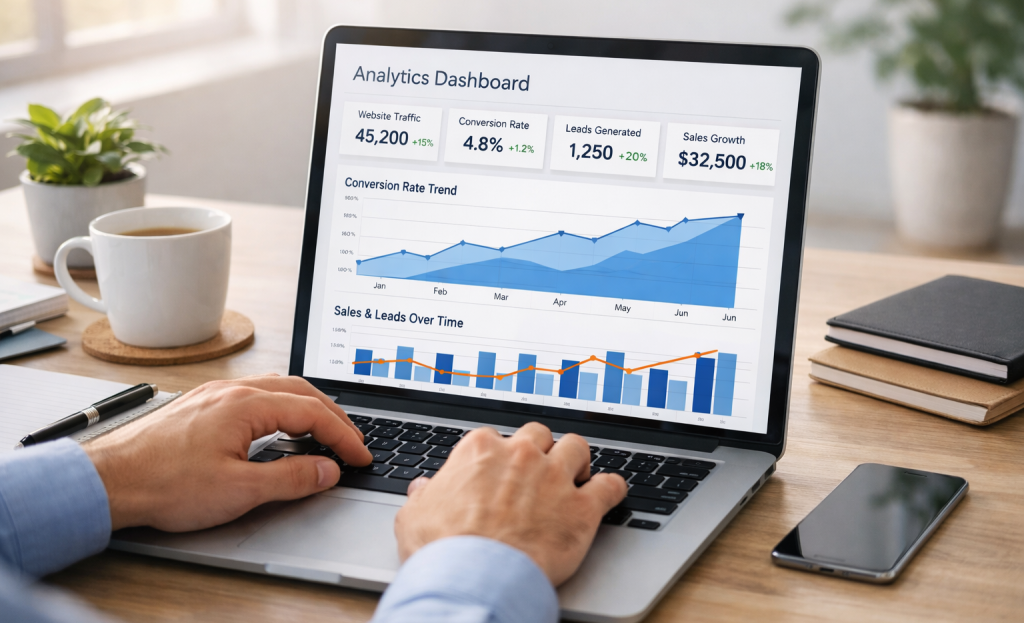
Here's a quick audit checklist to get started this week:
- Review your trigger settings. Are popups firing immediately on page load? Shift to scroll-depth or time-based triggers to catch visitors when they're actually engaged.
- Check your suppression rules. Make sure subscribers, recent converters, and returning visitors aren't seeing the same popup on repeat.
- Audit your mobile experience. Open your site on your phone and see exactly what a first-time visitor sees - the results might surprise you.
- Test one new offer angle. Swap a generic discount for something more specific, like a free guide or a personalized quiz, and see how your audience responds.
- Look at your dismiss-to-convert ratio. If far more people are closing your popup than converting, that's your cue to rethink the copy, design, or timing - not necessarily the popup itself.
Small, intentional changes compound faster. Start with one fix, measure the result, and build from there. Your leads and your visitors will thank you for it.
FAQs
What is popup fatigue and why does it matter?
Popup fatigue occurs when visitors are overloaded with too many interruptions, causing them to mentally check out and associate your site with friction. This erodes trust, increases bounce rates, and can negatively impact search rankings over time.
Which popup trigger type converts the best?
Click-triggered popups convert at 54.42%, far outperforming scroll-based (5.37%) and exit-intent (3.94%) triggers. They work best because the visitor has already signaled intent by clicking something.
Do discount popups really outperform non-discount ones?
Yes. Discount popups convert at 7.45%, which is 62% higher than non-discount popups at 4.60%. Visitors respond better when the value offered is immediate and tangible rather than vague.
How do consent checkboxes affect popup conversion rates?
Adding a consent checkbox reduces email signups by 25.82% due to added friction and doubt. Conversely, including a visible opt-out button increases conversions by 14.34% by giving visitors a sense of control.
What suppression rules prevent showing popups too often?
Common suppression strategies include cookie-based hiding after dismissal, session caps (one popup per visit), and permanently hiding popups after a visitor converts. Showing a signup popup to existing subscribers creates friction with no benefit.


