

But "works for a lot of people" and "works for you" aren't always the same thing. Maybe the $49/month Pro plan is hard to justify for a site that's still finding its footing. Maybe the feature set doesn't quite line up with what you actually need - too much in some places, not enough in others. Or maybe you've just outgrown it, or never felt like it was the right fit.
Whatever the reason, the good news is that BDOW isn't the only game in town. There are some legitimately strong alternatives out there - tools that cover everything from lightweight popup builders to full-featured lead generation platforms - and some of them might fit your site a whole lot better.
I'll talk about the best BDOW alternatives available, breaking down what each one does well, where it falls short, and who it's built for. Whether you're running a small blog or scaling a growing e-commerce store, there's something on this list worth your attention.
Why Sumo Users Start Looking for Something Different
BDOW works well enough - until it doesn't. The frustrations that send users looking for alternatives tend to fall into a few familiar patterns. If you're reading this, at least one of them probably sounds familiar.
Pricing is one of the first friction points users run into. BDOW's free plan comes with branding on your popups, and the jump to a paid plan can seem steep if you're still in the early stages of growing a list. For bloggers or small site owners who want clean, professional opt-ins without a big monthly commitment, that gap is hard to ignore.
Design flexibility is another sticking point. BDOW gives you templates to work with. But your ability to customize them is fairly limited. If your site has a look and you want your email forms to match it, you might find you're working around the tool instead of with it. That friction adds up over time.
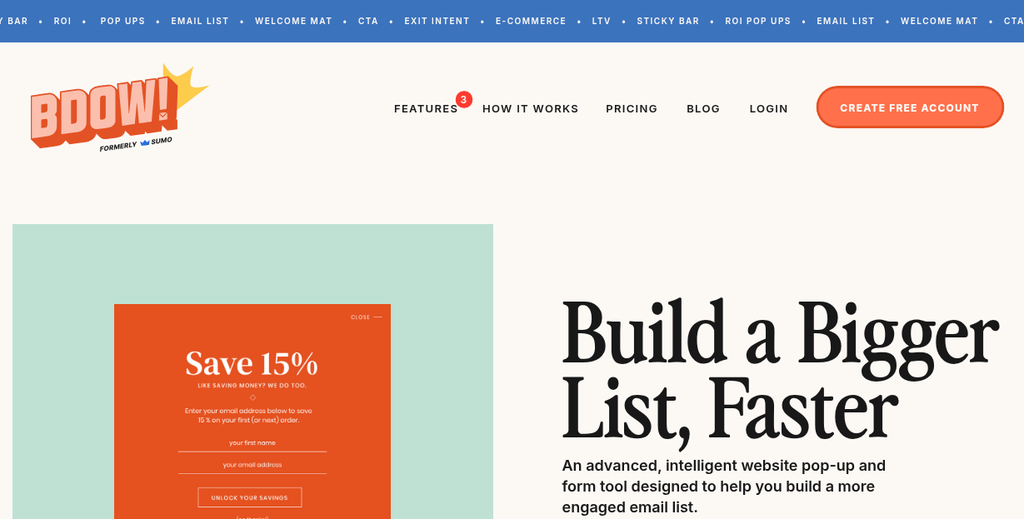
Some users also hit a ceiling on features. BDOW covers the basics - popups, welcome mats, scroll boxes - but it doesn't go further. If you want to run A/B tests, set up more advanced targeting rules, or connect your opt-in forms to a wider number of email platforms, then you'll find the options pretty thin. Tools that started as an easy way to get more subscribers sometimes need to grow into something more capable.
There's also the question of performance. Heavier tools can slow down your page load times, and that matters for user experience and search rankings. Some BDOW users see this and start looking for something lighter.
It's worth being honest with yourself about what's actually driving your search. The answer shapes which alternative will be worth your time - whether that's price, design control, or a feature your email strategy can depend on.
Not every tool is better than BDOW across the board - some are better in one area and weaker in another. The goal here isn't to find the most popular option or the one with the longest feature list - it's to find the one that fills the gap that BDOW left. Exploring the top alternatives for growing your email list is a place to start narrowing that down.
That's the right question to carry into the next section.
How to Know Which Email Opt-In Tool Actually Fits Your Site
Not every tool will work well for every site, and picking the wrong one can mean paying for features you never use or hitting a ceiling you didn't see coming. Before looking at products, it helps to get honest about what your site actually needs.
Start with your traffic volume. Some tools put a hard cap on how many page views you can get per month before you're pushed to a more expensive plan. OptinMonster's Growth plan, just to give you an example, is priced at $49 per month (billed annually) and caps out at 100,000 page views per month. That might sound like plenty. But if your site is growing fast, you could hit that limit sooner than expected and face a price jump you weren't planning for.
Your site platform also matters more than you might expect. WordPress users have the widest number of compatible tools, as most opt-in plugins are built with WordPress in mind. If you're running your site on Shopify, Squarespace, Webflow, or a custom-built platform, then you'll want to check integration support before anything else.
Think through the types of opt-in forms you actually want to use. Popups get the most attention. But slide-ins, inline forms, and sticky bars each serve a different job on the page. Some tools do these well, and others give you just one or two formats - it's worth knowing which form types fit your content before you start comparing pricing pages.
Budget is the other honest conversation to have with yourself. Free plans and entry-level tiers are out there across nearly every tool in this space. But they usually have branding from the tool itself, limited form types, or restricted features like A/B testing. With OptinMonster, for example, A/B testing requires the Plus plan at $19 per month, and exit intent targeting requires the Pro plan at $29 per month, billed annually. If those features matter to your strategy, factor that into what you're willing to spend each month.
It's also worth comparing what you get at similar price points across different tools. BDOW and Wisepops sit at $49 per month at their paid tiers. But Wisepops has over 200 templates compared to BDOW's 60. Tools like Mailmunch give you paid plans starting at $19.99 per month. But Justuno starts at $35.10 per month with a free plan available. Those differences add up depending on how much customization and testing your strategy requires.
Four questions can frame your search: How much traffic does my site get each month? What platform is my site built on? What form types do I want to use? And what's my monthly budget, with room to grow?
Having those answers before you look at any tool will make the comparison process easier. You'll be able to filter out tools that don't fit your platform or that will cap your growth at the wrong moment, instead of finding out after you've already set everything up.
The Top Sumo Alternatives and What Each One Does Best
Each tool below fills a different gap, so the right pick can depend on what your site actually needs.
OptinMonster has annual plans starting at $7 per month for Basic, $19 per month for Plus, $29 per month for Pro and $49 per month for Growth- it's one of the most established names in this space and gives you targeting rules, exit-intent detection and A/B testing without needing a developer.
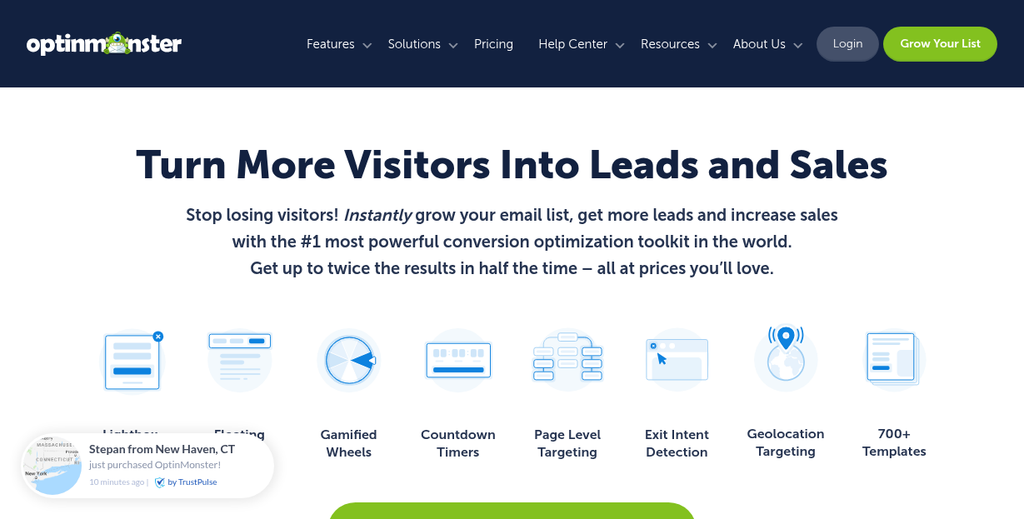
Worth noting though: A/B testing will need the Plus plan and exit-intent detection will need the Pro plan at $29 per month, so the entry-level tier is more limited than it might first appear- it holds a 4.2 out of 5 rating on Capterra which goes well with a useful but not universally loved tool- it works for sites that want precise control over when and where a popup appears, as long as you budget for the right tier.
Thrive Leads is built specifically for WordPress users- it comes with a drag-and-drop editor and lets you run SmartLinks which hide opt-in forms from people who are already on your list. That alone saves you from annoying your existing subscribers. The trade-off is that it only works on WordPress, so if you need help choosing the right popup plugin for your WordPress site, it's worth looking at your options before committing.
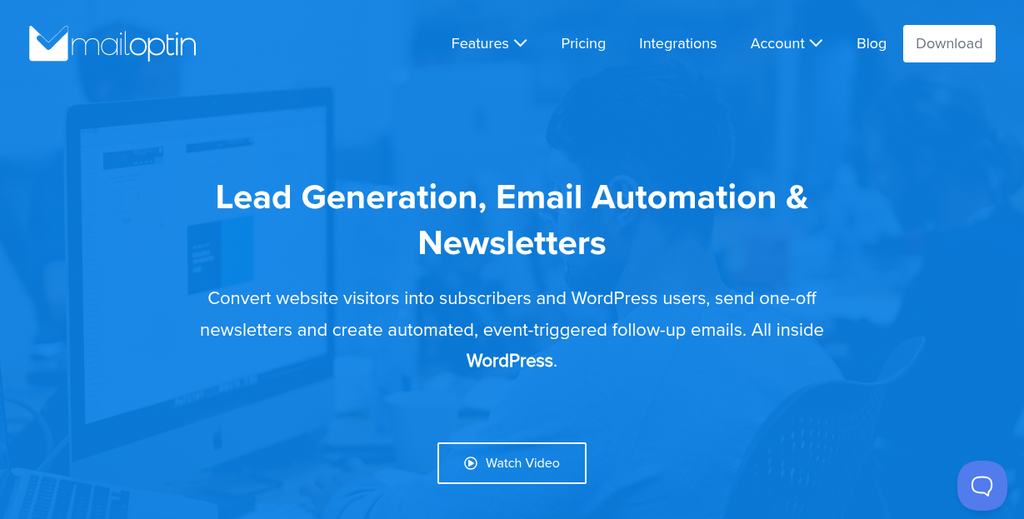
MailOptin connects cleanly with most email platforms and covers popups, inline forms and notification bars- it's a pick for freelancers or small agencies who want a one-time payment instead of a monthly bill. The feature set is not as deep as OptinMonster. But it covers the basics well.
Picreel starts at $19.99 per month and leans into exit-intent technology as its main strength- it tracks mouse movement to detect when a visitor is about to leave and shows a targeted message at that moment- it integrates with a number of CRMs and email tools which makes it a fit for e-commerce sites focused on cutting back on abandonment.
Popup Smart is built around page speed and loads in under 134 milliseconds which makes it one of the lightest options available- it's a no-code tool with a clean interface and works across any website platform. If site performance is a priority for you, it's worth a close look. You may also want to consider reducing popup fatigue without sacrificing lead generation as you fine-tune your strategy.
Justuno has a free plan with paid plans starting at $35.10 per month- it holds a strong 4.6 out of 5 rating on Capterra which puts it among the better-reviewed tools in this category- it's a fit for e-commerce businesses that want behavioral targeting and upsell overlays alongside their standard opt-in forms.
Wisepops comes in at $49 per month and has over 200 templates which is considerably more than BDOW's 60- if template number matters for your workflow and you want something at a similar price point to BDOW, Wisepops gives you considerably more to work with out of the box.
Mailmunch has a free plan to get started, with paid plans beginning at $19.99 per month- it covers landing pages, popups and embedded forms and connects with most email platforms which makes it an easy pick for smaller sites that want to keep costs low without giving up too much functionality.
The Hidden Costs Most People Miss When Switching Tools
Once you've picked a tool that looks good on paper, it's worth slowing down to plan the move. The monthly price is easy to compare. But the cost of switching is usually about time and disruption instead of dollars.
Migration takes longer than you plan for. You need to export your existing forms, recreate them in a new platform, and then test everything before it goes live. If you run a content-heavy site with forms in multiple places, that work can take a few hours, or a full day.
There's also a learning curve to factor in. A new tool means a new interface, new settings, and new logic for things like triggers and display rules. Some tools are legitimately intuitive from day one. But others take a week or two before you stop second-guessing yourself; it's time you're not spending on your list growth.
Form downtime is a danger during the switch. If your old forms are removed before the new ones are set up and tested, you can miss subscribers during that window. Mid-campaign is the worst time to switch tools for this reason - gaps in coverage can affect sign-up numbers in ways that are hard to trace later.
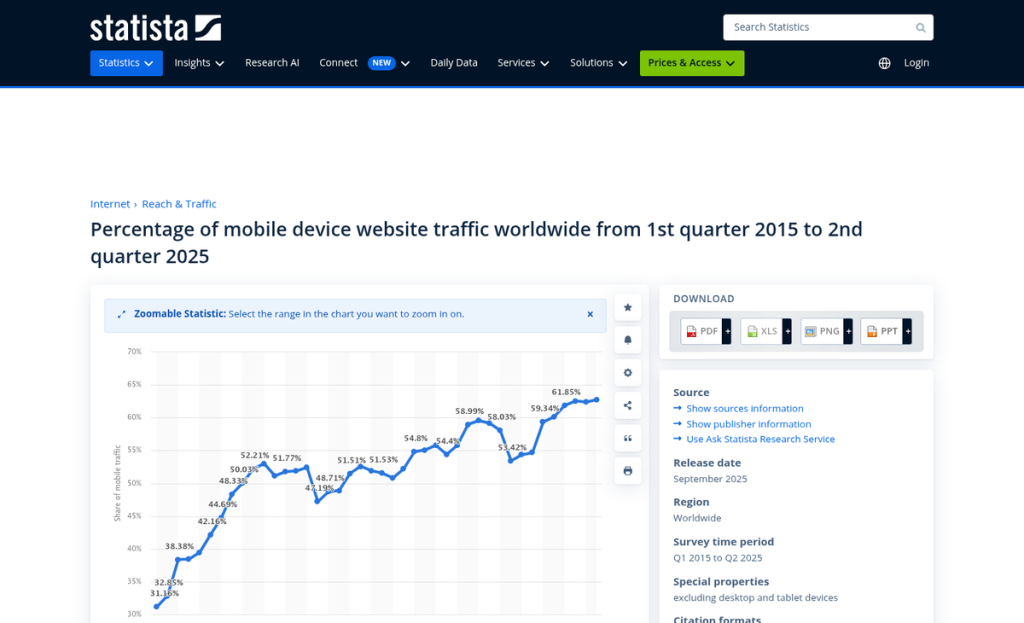
Mobile compatibility is another thing to check before you commit. A form that looks clean on desktop but breaks on a phone is worse than no form at all.
Add-on costs are worth a close look too. Some tools advertise a low base price but charge extra for A/B testing, advanced targeting, or integrations with popular email platforms. OptinMonster is an example of this in practice - A/B testing requires the Plus plan at $19/month, and Exit Intent doesn't unlock until the Pro plan at $29/month, billed annually. A cheaper-looking alternative can cost more once you add the features you actually need.
None of that means you should stay with a tool that isn't working for you - it just means going in with a clear picture of what the switch actually means.
Features That Actually Move the Needle on List Growth
There's a difference between a tool that collects emails and a tool that converts visitors into subscribers. The features you use - and how you use them - determine which side of that line you land on.
Exit-intent triggers are one of the highest-impact features you can turn on. They detect when a visitor is about to leave and show a targeted message at the right moment. That one change can recover a portion of visitors who would have left without subscribing. Keep in mind that with OptinMonster, exit-intent is only available on the Pro plan at $29/month billed annually, so it's worth factoring that into your budget before assuming it's included.
Page-level targeting matters for this reason. Instead of showing the same popup to every visitor on every page, you match the message to the content. Someone reading a post about email marketing should see a different opt-in than someone browsing your homepage for the first time.
Behavior-based triggers take this a step further. You can set a form to appear after a visitor scrolls 60% down a post or spends 45 seconds on the page. These visitors have already shown interest, so they're far more likely to convert than a person who landed two seconds ago.
A/B testing is the feature you enable and then ignore. Testing two versions of a headline or button text - and actually checking the results - can improve your conversion rate without changing anything else about your setup. With OptinMonster, A/B testing requires at least the Plus plan at $19/month billed annually - it's worth doing if your tool supports it at your price point.
Load speed matters more than most people realize. Popup Smart loads in around 134 milliseconds, which is fast. A slow, clunky popup can increase your bounce rate and frustrate visitors before they can even read what you're saying.
Template depth is another factor worth thinking about. Wisepops has over 200 templates compared to BDOW's 60, and both sit at the same $49/month price point at the paid level. If design variety matters to your workflow, that gap is worth considering.
The question is whether you are using your current tool to its full potential, or if you dropped a basic popup on every page and moved on. Most do the latter and then wonder why their list grows slowly.
The tools covered here all have different strengths in this area. OptinMonster leads on behavioral targeting and A/B testing, though its most powerful features are gated behind higher plans. Popup Smart leads on speed. Mailchimp's native forms are easy but don't have much advanced trigger logic. Knowing what each tool does well helps you match your choice to your growth strategy.
Features only matter if you use them intentionally. The best list-building tool is the one you're willing to set up, test, and refine over time.
Picking the Right Tool and Actually Sticking With It
Most of the tools covered here give you free trials or free plans, so there's little danger in testing one or two that stood out to you. Set them up, run them for a few weeks, and get a feel for what the numbers tell you. Conversion rates, form views, and list growth will point you in the right direction faster than any comparison post can.
Building an email list is a long game. No tool will do the work for you. But the right one will make that work easier - and a little momentum early on goes a long way. Pick something, start small, and adjust as you grow; that's all there is to it. If you want extra help recognizing what's working, Viewers.com can turn anonymous visitors into enriched leads worth pursuing.


