

It’s not a trivial decision. The format you choose can affect how visitors experience your site, how they actually connect with your offer - and yes - how many of them leave without ever giving you their email. A poorly timed or poorly placed prompt can spike your bounce rate. The right one, showing up at the right second in the right format, can quietly become one of your best-performing lead gen assets.
But most of the advice out there is either too vague (“it depends on your audience”) or too anecdotal to trust. What actually moves the needle? What does the data say when you put these two formats side by side under real conditions?
That’s what this piece gets into. Using conversion data, we’re taking a hard look at how floating bars and slide-in popups perform against each other - across different site types, traffic sources, and use cases. If you’ve been going back and forth on which one belongs on your site, this should make that call quite a bit easier.
Key Takeaways
- Floating bars generate higher total lead volume than slide-ins due to persistent visibility throughout entire visitor sessions.
- Slide-ins outperform floating bars when triggered by specific behaviors like high scroll depth, exit intent, or warm returning traffic.
- A higher conversion rate doesn’t guarantee more leads; total impressions multiplied by conversion rate reveals true format performance.
- Copy quality, offer strength, and timing triggers impact results more than choosing between floating bars or slide-ins.
- A/B testing both formats against the same audience, headline, and CTA is recommended over guessing which format wins.
What Floating Bars and Slide-In Popups Actually Do Differently
Floating bars and slide-in popups look different, behave differently, and put different amounts of pressure on the visitor.
A floating bar sits fixed to the top or bottom of the browser window - it stays there the whole time a visitor is on your page. Whether they’re scrolling, reading, or doing nothing, it never disappears into the background and never blocks the content below it. The bar is narrow by design, so it takes up very little screen space and lets visitors read without much interruption.
A slide-in popup works differently - it enters from a corner of the screen, usually the bottom right, after the visitor has scrolled down a distance or spent a set amount of time on the page. It’s bigger than a floating bar and draws more attention when it appears. It doesn’t take over the full screen the way a traditional popup does, but it does demand a bit of acknowledgment. The visitor either engages with it or closes it.
That difference in how each format demands attention is the most important thing to know here. One is always present but easy to tune out. The other arrives at a moment and asks for a response.
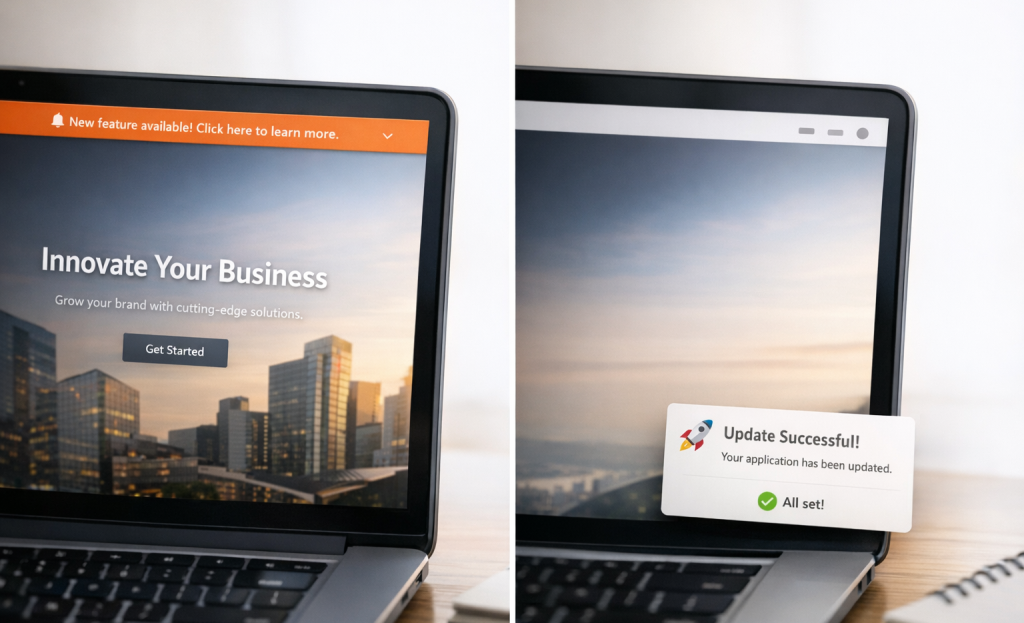
This creates two user experiences. Floating bars work passively - they’re there whenever the visitor is ready. Slide-ins are more active; they introduce a prompt based on behavior, which means timing plays a big part in how well they perform.
Both formats are non-intrusive compared to full-screen overlays, but they serve lead capture differently. That distinction shapes everything about how conversion rates shake out between them.
What the Conversion Data Actually Shows
The most helpful study to look at here is Sleeknote’s analysis of over 677 million impressions across different popup formats. The headline finding is that sticky bars generated the highest total lead volume of any format tested; it’s worth sitting with for a second, because it runs counter to what marketers assume.
Slide-in popups came in below the average conversion rate across multiple datasets like data from Getsitecontrol and Claspo. Their conversion rates land in the 2.17-2.85% range; it’s not a bad number in isolation. But it trails what floating bars and centered modals produce.
The conversion rate difference between floating bars and slide-ins isn’t dramatic on a per-impression basis. Lead volume is a different story, and that’s where the data gets interesting.

Floating bars score well on lead volume because they stay visible throughout the entire session. Every scroll, every page, every pause - the bar is still there. Slide-ins appear once and then disappear, which means their window to convert is much shorter. Klaviyo’s data reinforces this pattern, showing that formats with persistent on-screen presence accumulate conversions at a faster rate over time.
It’s also worth mentioning what the table doesn’t show. Fullscreen popups and centered modals technically convert at higher rates. But they do so by taking over the screen entirely. Floating bars generate comparable lead volume without that level of disruption, which matters quite a bit for user experience and long-term list quality. Intrusive interstitials can also negatively affect search rankings, adding another reason to weigh disruption levels carefully.
Slide-ins sit in an awkward middle ground. They’re less intrusive than modals, which is good for engagement. But they also get less exposure than floating bars. The data from Getsitecontrol places them in the “moderate” category for lead volume impact, and that label is accurate. They work. But they don’t accumulate leads at the same pace.
Why Visibility Beats Conversion Rate for Total Lead Count
A lower conversion rate doesn’t automatically mean fewer leads- it just means fewer leads per impression -. That distinction matters quite a bit when one format gets seen far more times than the other.
Floating bars stay visible for the entire session. A visitor lands on a page, scrolls through it, clicks to another post and the bar is still there. Slide-ins appear once and then they’re done. If a visitor dismisses a slide-in at the bottom of a blog post, that opportunity is gone for the rest of the visit.
This is where total impression volume starts to change the math. If a floating bar converts at 2% but gets seen 10,000 times in a month, that’s 200 leads. Now imagine a slide-in converts at 5% but only generates 2,000 impressions because it fires once per visit and users dismiss it faster; that’s 100 leads. The slide-in looked more efficient on paper but produced half the results.
The numbers above are illustrative. But the logic behind them is sound. Sustained exposure across a long session creates more opportunities to convert the same visitor at different moments in their reading.

This matters even more on content-heavy sites. A visitor who reads three articles in one session will see a floating bar dozens of times across those pages. Their intent can change as they read, and a bar that’s sitting there at the right second can capture that change in a way that a popup which already fired and closed never could.
The instinct to chase higher conversion rates is understandable. But percentage efficiency is only half the picture when the formats have fundamentally different exposure patterns. Understanding the psychology behind high-converting calls to action can help you make the most of every impression regardless of format.
Total lead volume is the number that actually grows your list. Measuring impressions multiplied by conversion rate - instead of conversion rate alone - gives you a more honest view of what each format is doing. Tools built around conversion rate optimization features can help you track both metrics together and make smarter format decisions over time.
When Slide-Ins Actually Outperform Floating Bars
Floating bars win on raw visibility. But that doesn’t mean they always win the conversion. There are situations where a slide-in will outperform a sticky bar, and it can depend on how relevant the message feels at the exact second a visitor sees it.
Trigger logic is the big one. A slide-in that appears after a reader scrolls 70% through a blog post is talking to a reader who has already shown genuine interest; it’s a very different audience from a person who landed on the page three seconds ago and hasn’t decided anything yet. A floating bar treats everyone the same way, which is fine for large lead capture but not the right choice when your goal is to target intent.
Exit-intent slide-ins are another case where the format earns its place. A floating bar has already been sitting there ignored, so it has no new moment to work with.
Page type matters too. On a long-form post or a resource page, readers are in a consuming mindset and a slide-in fits that experience better - it appears as a response to their behavior instead of a decoration on the page. On a short landing page or a checkout page, a floating bar is probably the better fit because there’s less scroll depth to work with and the visit is much shorter.

Audience temperature also changes things. Warm traffic - who came from an email, a referral, or a return visit - tends to respond better to more direct, personalized prompts. Cold traffic landing on a homepage for the first time is a different story and usually benefits from a wider, always-visible strategy. Some small design choices can make a measurable difference in how either format performs.
Personalization is what tips the balance. When a slide-in can reference a visitor’s behavior, their source, or the content they’re reading, it stops being a generic prompt and can become something worth responding to. Personalization lifts conversion rates across a wide range of formats and industries, and targeted prompts consistently outperform one-size-fits-all messaging.
The Variables That Move the Needle More Than Format
The honest truth is that the format you pick matters less than you think. A poorly written floating bar will lose to a well-designed slide-in every time, and the reverse is just as true. The format is the container. But what’s inside the container does most of the work.
Copy is the biggest lever to pull. Vague headline text like “Sign up for updates” underperforms against something direct and benefit-driven like “Get 10% off your first order.” The words you use tell visitors if your prompt is worth their attention, and that judgment happens in about two seconds.
The strength of the underlying offer matters just as much. A weak incentive in a beautifully designed slide-in still produces weak results. If what you’re trading for an email address doesn’t feel worth it to the visitor, no amount of format optimization will change the conversion rate in any meaningful way.
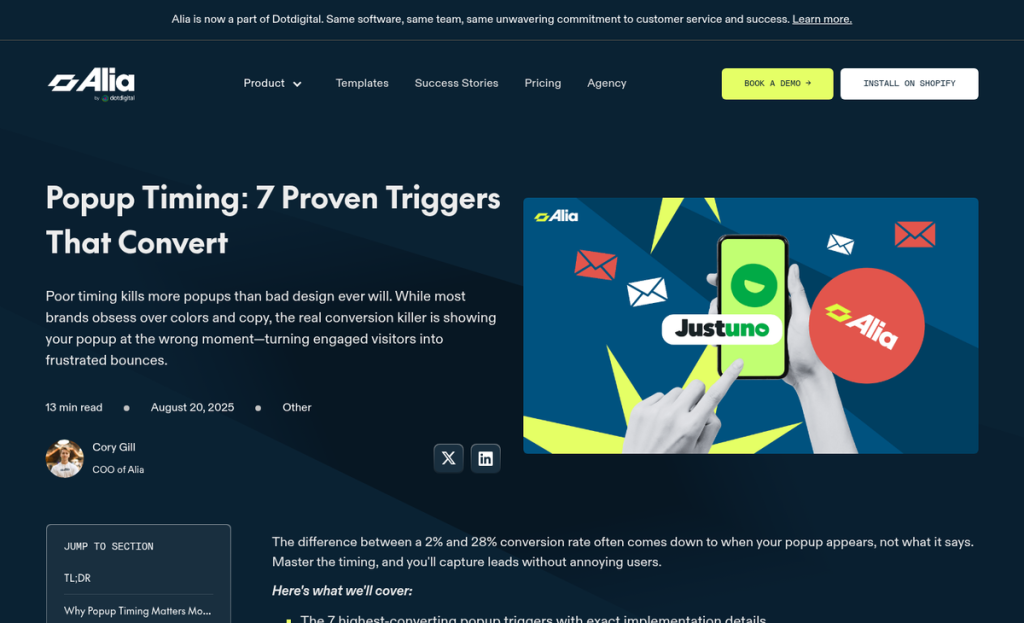
Timing triggers are another area where small changes produce big differences. A popup shown too early, before the visitor has had a chance to read anything, tends to push people away. Exit-intent triggers, scroll-depth thresholds, and time-on-page delays all let you reach visitors at a moment when they’re more likely to engage instead of close the window immediately.
Mobile optimization is an absolute must at this point. A floating bar that takes up too much screen space on a phone, or a slide-in that covers the content and has a small close button, will hurt your numbers regardless of how good the copy is. Both formats need to be tested and adjusted on mobile as a separate experience from desktop.
That brings up A/B testing, which is where many teams fall short. Running one version of a popup and deciding the format doesn’t work is like blaming the pan for a bad meal. Testing one variable at a time - headline, button text, timing, color - gives you data you can use to improve the next version.
The format debate has value. But it can distract you from the work that produces the most improvement. A floating bar with strong copy, a strong reason to subscribe, and the right timing trigger can outperform a slide-in that hasn’t been tested or refined. The format is where you start.
So, Which One Should You Actually Use?
Rather than picking a winner, the priority is committing to a test instead of a guess. Run formats against the same goal, the same audience segment, and the same trigger conditions for at least two weeks. Look at conversion rate and lead quality - a slide-in that captures fewer but more qualified emails can outperform a sticky bar that inflates your list with tire-kickers. The numbers will tell you what your instincts can’t.
The next step is easy: pick one page with decent traffic, set up an A/B test between a floating bar and a slide-in with the same headline and CTA, and let it run. Most tools - OptinMonster, ConvertBox, or a basic Elementor popup - can have this live in under an hour. Stop debating formats in theory and start collecting data that’s specific to your audience.
FAQs
Which format generates more leads overall?
Floating bars generate higher total lead volume due to persistent visibility throughout entire visitor sessions, even though their per-impression conversion rate isn't dramatically higher than slide-ins.
When do slide-in popups outperform floating bars?
Slide-ins outperform floating bars when triggered by high scroll depth, exit intent, or shown to warm returning traffic, where a timely and targeted message increases relevance and conversions.
Does a higher conversion rate mean more leads?
Not necessarily. A format with a lower conversion rate but more impressions can generate more total leads. Total leads equal impressions multiplied by conversion rate, not conversion rate alone.
What factors matter more than popup format choice?
Copy quality, offer strength, and timing triggers impact results more than format selection. A well-written floating bar or slide-in with a strong incentive will consistently outperform a poorly optimized alternative.
How should I decide which format to use?
Run an A/B test using both formats with the same headline and CTA on the same audience. Collect real data specific to your site rather than relying on general assumptions about which format wins.

